The Access to Rooms section on a lock's details page indicates the rooms that keys assigned to the lock control access to.
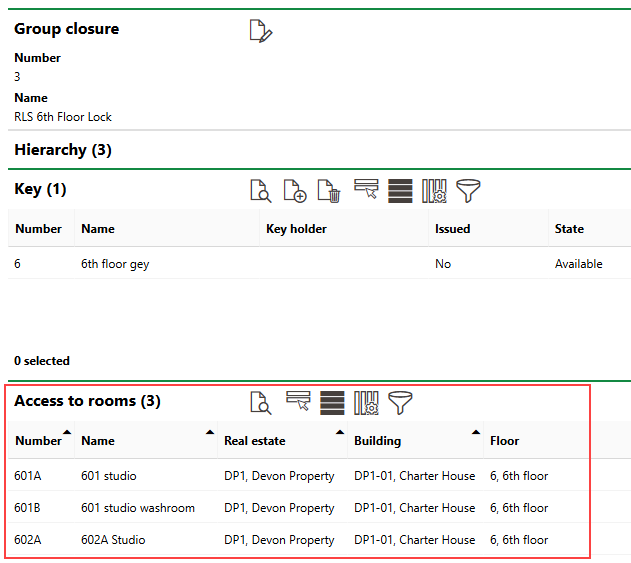
Access to Rooms Section
Specifically, this is a list of rooms whose doors are associated with the same cylinder as the one installed in the lock.
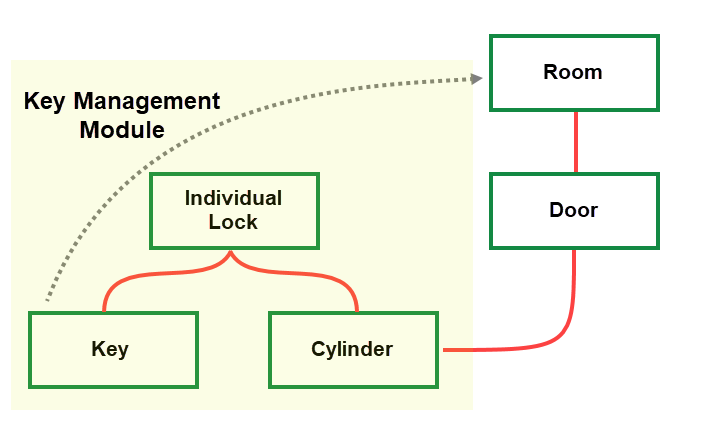
Assets Associated with Key Access in VertiGIS FM
You can only assign cylinders to individual locks. For this reason, only individual locks have direct connections to doors and rooms. The Access to Rooms section on the details page for a central lock or group lock lists the rooms associated with the individual locks beneath it in the locking system hierarchy.
Complete the items below to establish a relationship between a central, group, or individual lock and the rooms whose doors it opens:
•specify the door's room access
•add a cylinder to an individual lock
You do not necessarily need to complete these items in the order presented in this document.
Assign a Door to a Room
Any room you want to establish access to in the Key Management module must have a door assigned to it.
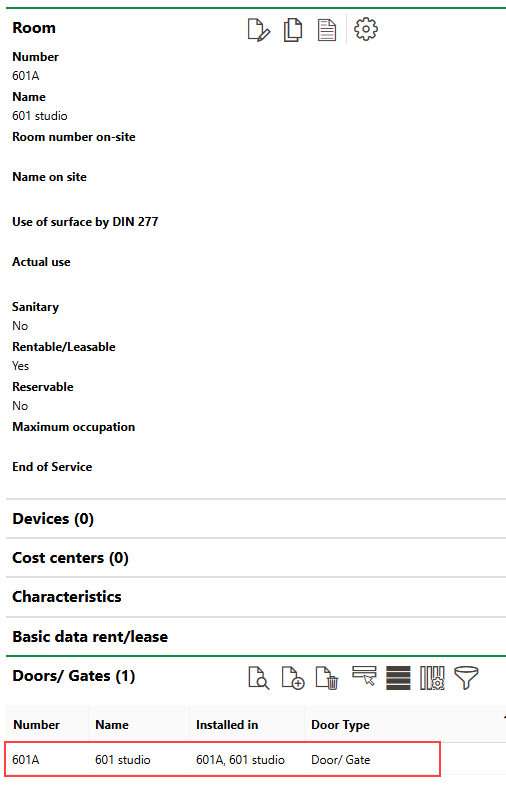
Door Assigned to Room
Refer to Create a Door or Gate on the Details Page for the Asset You Want to Install It In and complete the procedure on the details page for the room.
Specify Door's Room Access
On the details page for the door assigned to the room, document the rooms the door provides access to in the Access to Rooms section.
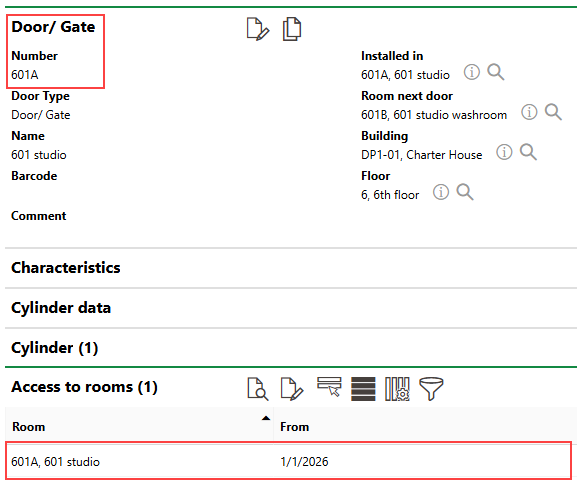
Access to Rooms Section on Door Details Page
Refer to Establish Room Access for instructions.
Add Cylinder to Individual Lock
Cylinders are crucial for establishing locks' room access. For an individual lock to control access to rooms, it must have a cylinder assigned to it. For a central or group lock to control access to rooms, it must have an individual lock below it in its locking system hierarchy with a cylinder assigned to it.
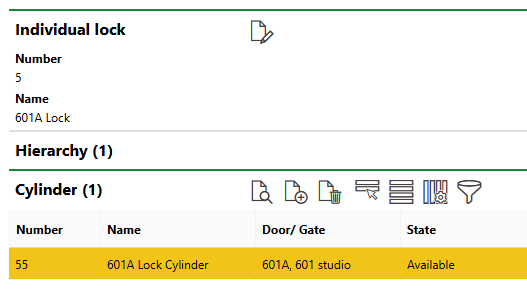
Cylinder Section on Individual Lock Details Page
In VertiGIS FM, you create a cylinder and assign it to a lock in the same step. Refer to Add a Cylinder to a Lock for more information.
Install Cylinder in Door
The cylinder assigned to the individual lock, as described in the section above, must be installed in a door to establish a link with the rooms associated with the door. In this example, the cylinder is installed in the door whose room access was specified in the section above.
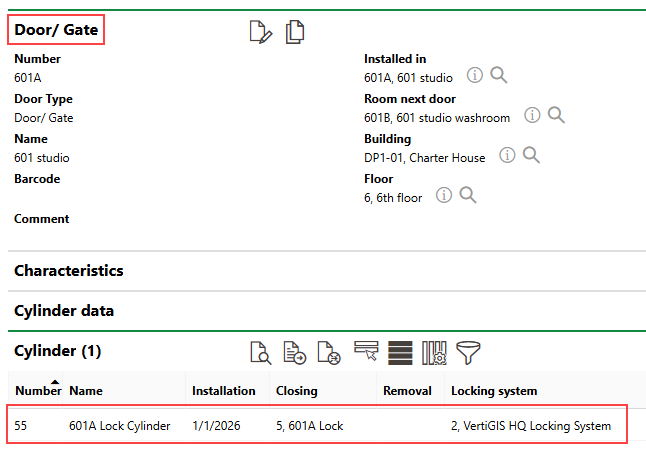
Cylinder Installed in Door
Assign Key to Lock
When you have satisfied the conditions outlined in the sections above, you have established a connection between the individual lock (as well as the locks above it in the locking system hierarchy) and the rooms to which the lock provides access.
Finally, you must assign keys to any central, group, or individual locks you want to control access to the rooms. If there are no keys assigned to a lock, its details page will not list any rooms in the Access to Rooms section.
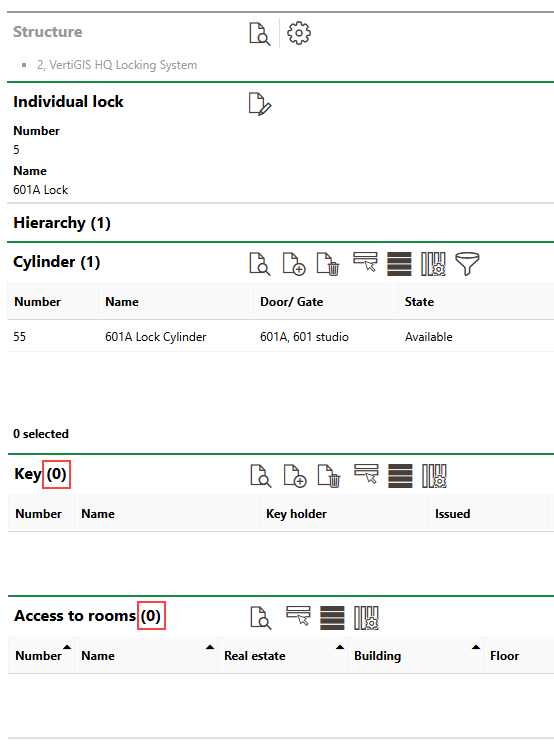
Access to Rooms
When you create a key for the lock, the Access to Rooms section inherits the rooms selected on the details page of the door associated with the lock's cylinder.
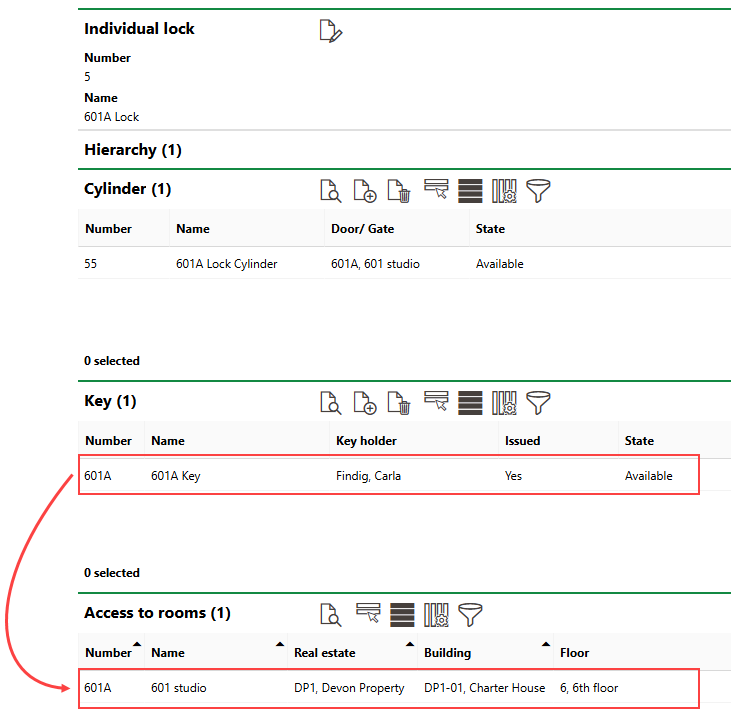
Lock with Key and Room Access
Central or group locks that are above the individual lock in the locking system hierarchy and assigned their own key have access to the same rooms as the individual lock (as well as the rooms other individual locks beneath it in the hierarchy have access to).
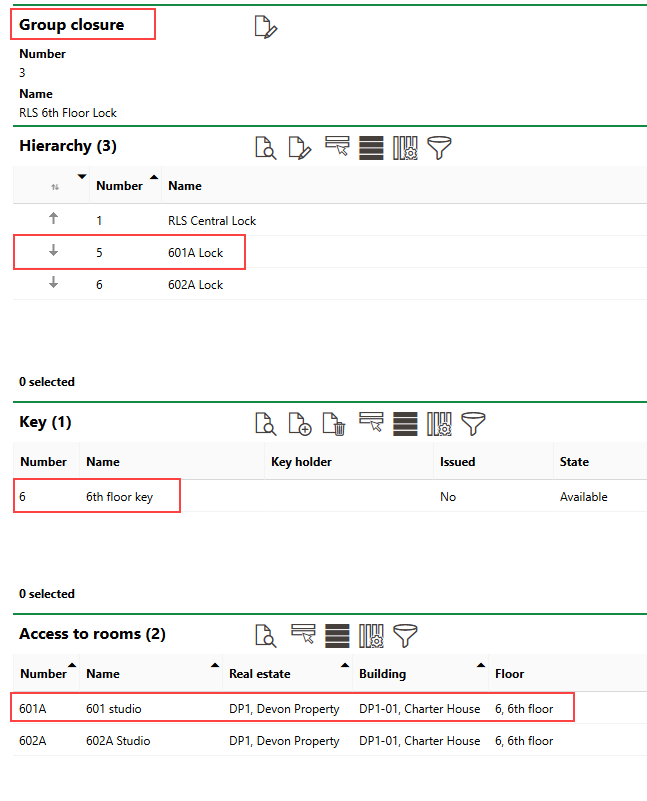
Group Lock with Room Access Inherited from Child Individual Locks
Refer to Create a Lock for a Key for instructions.