Types refer to subcategories below a vehicle class and above individual vehicles in the Vehicle Structure.
You can create vehicle types within a vehicle class according to any criteria (for example, manufacturer or model). Generally, vehicles added to a vehicle type share common properties.
Types are listed in the Types section on the details page for their parent's vehicle class.
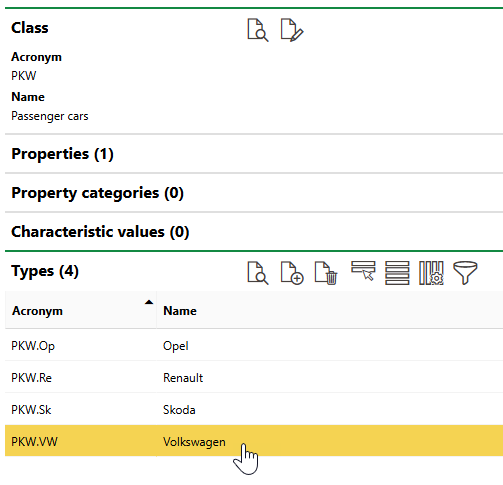
Types Section
Add a Vehicle Type
You can add a vehicle type to any vehicle class that already exists in your Vehicle Structure.
To add a vehicle type, navigate to the details page for the vehicle class to which you want to add the new type and click the Add ( ) icon in the Types section.
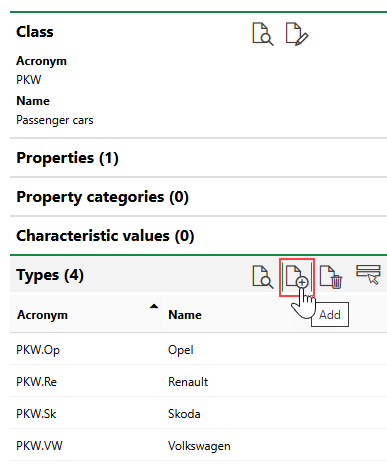
Adding a Vehicle Type
Enter the new vehicle type's core properties and default values and then click Save or Save and Close.
Edit a Vehicle Type
You can edit the properties of an existing vehicle type by clicking the Edit ( ) icon on the type's details page.
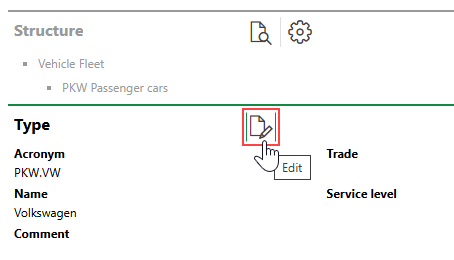
Editing a Vehicle Type
Edit the vehicle type's core properties or default values and then click Save or Save and Close.
Delete a Vehicle Type
You can remove a vehicle type from its hierarchy by selecting the vehicle type in the Types section on the details page for the group or subgroup that contains the vehicle type and clicking the Delete ( ) icon.
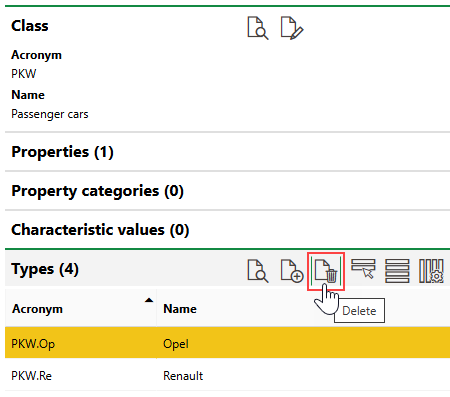
Deleting a Vehicle Type
You cannot delete a vehicle type that contains vehicles.
Vehicle Type Details Page
Each vehicle type in your system has its own details page that stores the core properties of its vehicles and lists its subordinate objects. You can navigate to a vehicle type's details page by double-clicking a vehicle type in the Types section on the vehicle class details page for the class above the vehicle type in the Vehicle Structure hierarchy.
Field |
Description |
|---|---|
Acronym |
An acronym or short code for the vehicle type. Vehicles added to the vehicle type will have this value in their Stock no., after its class acronym and before the serial number that distinguishes vehicles in the vehicle type. |
Name |
The name of the vehicle type. |
Comment |
Additional information about the vehicle type. |
Trade |
|
Service Level |
|
Default Values
Field |
Description |
|---|---|
Purchase price |
The purchase price of vehicles in the vehicle type. You should only enter a value here if all vehicles in the vehicle type have the same purchase price. |
Allowance |
|
Comment |
Additional comments that apply to all vehicles added to the vehicle type. |
Properties saved in the Default Values section are inherited by vehicles added to the vehicle type.
Threshold Tables
The Threshold Tables section lists the threshold tables created for the vehicle type. Threshold tables are paired with measures to create measurement-based maintenance strategies for assets in the vehicle type.
Refer to Threshold Tables for more information.
Maintenance Strategies
The Maintenance Strategies section lists the maintenance strategies currently applied to the vehicle type. Maintenance strategies applied to a vehicle type generate orders for all individual vehicles in the vehicle type, unless otherwise specified.
Refer to Maintenance Strategies for more information.
Properties
The Properties section lists the Additional Properties created for the vehicle type. Additional Properties allow you to enter and store data in custom fields of any data type in the Additional Properties section on the device details, component details page, or vehicle details page for assets in the vehicle type. Refer to Flexible Properties for more information.
Property Categories
The Property Categories section lists the Property Categories created for the vehicle type. Property categories allow you to enter and store data in custom fields of any data type in a section with a custom name on the device details, component details page, or vehicle details page for assets in the vehicle type. Refer to Flexible Properties for more information.
Characteristic Values
The Characteristic Values section lists the Characteristic Values created for the vehicle type. Characteristic values allow you to enter and store multiple values in custom fields continually, on an ongoing basis, on the device details, component details page, or vehicle details page for assets in the vehicle type. Refer to Flexible Properties for more information.
Authorised Person
The Authorised Person section lists individuals authorized to work with vehicles in this vehicle type. This feature is used in conjunction with the VertiGIS FM Health and Safety module.
Vehicles
The Vehicles section lists individual vehicles in the vehicle type.
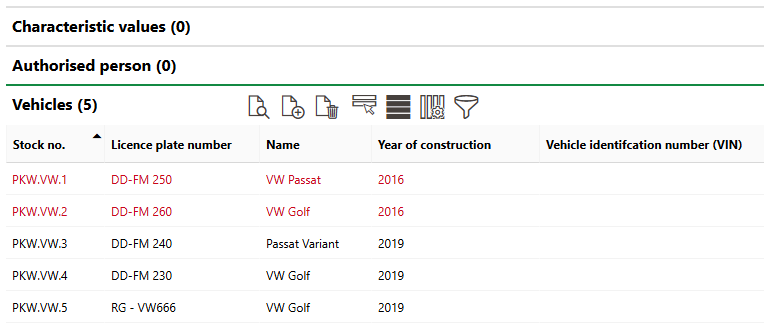
Vehicles Section
Refer to Vehicles for more information.
Refer to Add a Vehicle for instructions on how to add a vehicle to a vehicle type.
If any of the sections described in this topic do not appear on the details page, you may need to edit the section authorization to show them.