Classes are the highest grouping node in vehicle structures. Depending on the range of vehicles in your fleet, a vehicle class could refer to a type of vehicle, a business unit or department, or an operational purpose.
You can see the existing vehicle classes in your system by clicking Vehicle Structure under Actions on the Fleet Management legacy start page.
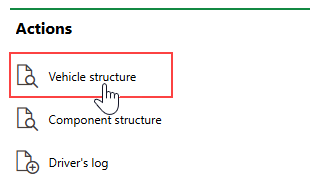
Link to Vehicle Structure Classes
Vehicle Classes Page
The page that opens when you click Vehicle Structure on the dashboard lists all the vehicle classes in your system and indicates their identifying strings.
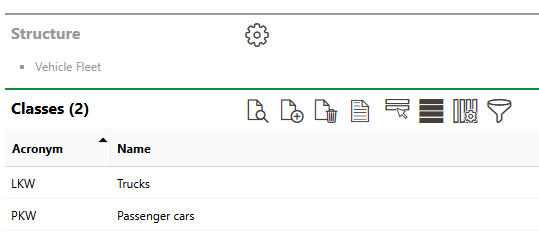
Vehicle Classes Page
Add a Class
To add a new vehicle class, click the Add ( ) icon on the vehicle classes page.
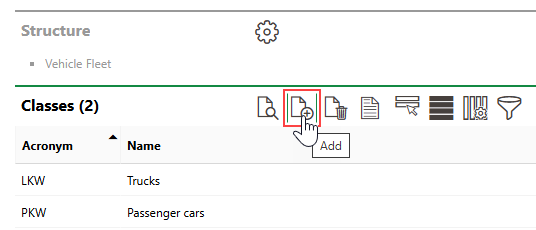
Add Class Icon
You can then enter the required class properties and click Save or Save and Close.
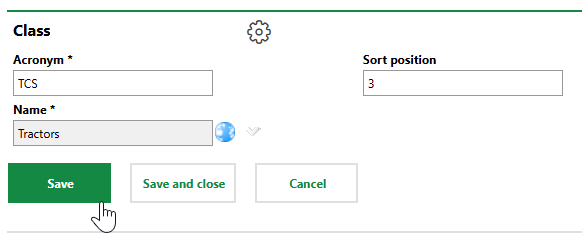
Adding Fleet Class
Edit a Class
You can edit the core properties of any vehicle class in your system from the vehicle classes page.
To Edit a Class
1.Navigate to the vehicle classes page.
2.Double-click the vehicle class you want to edit.
3.Click the Edit ( ) icon.
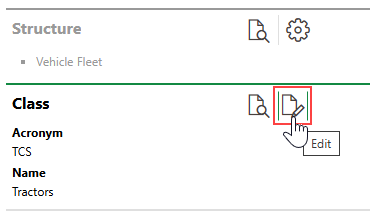
4.Edit the vehicle class's properties as required.
5.Click Save and Close.
Delete a Class
To delete a vehicle class, select it on the vehicle classes page and click the Delete ( ) icon.
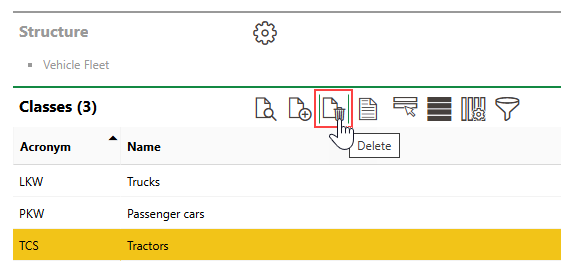
Deleting an Inventory Group
You cannot delete a vehicle class that contains existing types or vehicles.
Class Details Page
Each vehicle class in the system has its own details page that stores its core properties and subordinate types and vehicles. You can navigate to a vehicle class's details page by double-clicking a class on the vehicle classes page.
Each vehicle class has the following core properties.
Field |
Description |
|---|---|
Acronym |
An abbreviation or short code for the vehicle class. This string will appear at the beginning of the Stock no. for any types or vehicles added to the vehicle class. |
Name |
The name of the vehicle class. |
Sort Position |
Where in lists of vehicle classes this vehicle class will appear. |
Property
The Properties section lists the Additional Properties created for the vehicle class. Additional Properties allow you to enter and store data in custom fields of any data type in the Additional Properties section on the device details, component details page, or vehicle details page for assets in the vehicle class. Refer to Flexible Properties for more information.
Property Categories
The Property Categories section lists the Property Categories created for the vehicle class. Property categories allow you to enter and store data in custom fields of any data type in a section with a custom name on the device details, component details page, or vehicle details page for assets in the vehicle class. Refer to Flexible Properties for more information.
Types
The Types section lists the vehicle types within the vehicle class. Double-click a type in this section to navigate to its details page.
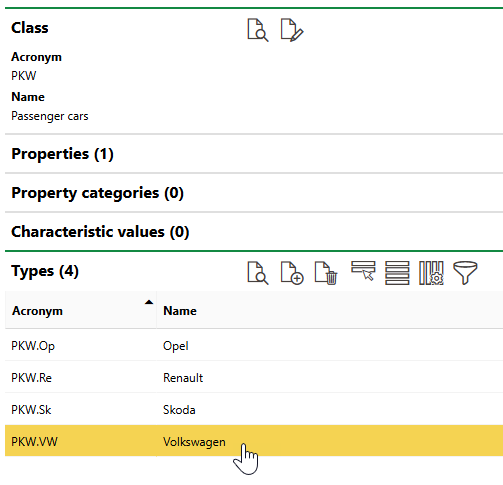
Types Section
Refer to Add a Vehicle Class to a Vehicle Class.