If you create a dashboard object whose Presentation Type is Template, you can add legacy dashboard objects to the dashboard. Many of these objects are shown on VertiGIS FM dashboards by default before you customize them.
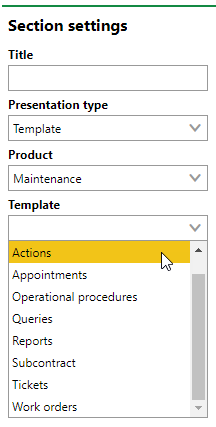
Template Options
Refer to Default Dashboards for examples.
Template options vary depending on the VertiGIS FM product whose dashboard you are customizing. The Actions and Operational Procedures templates, for example, include links to different pages and workflow shortcuts for each product.
Filter Expression
If your user is assigned a role that has the Define your own filter expressions permission enabled, you can filter the items reflected in a dashboard template using a filter expression. This feature is intended for administrators with advanced system and filter expression knowledge.
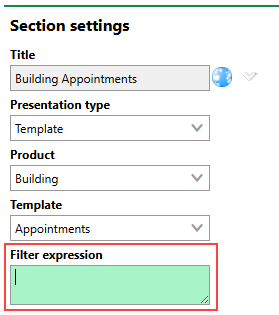
Filter Expression Menu
Templates
Refer below for information on and examples of template types you can add to your dashboard.
Actions
The Actions template is a list of key links and resources for the VertiGIS FM product selected in the Product menu. Your users often require these links to complete tasks within each VertiGIS FM product.
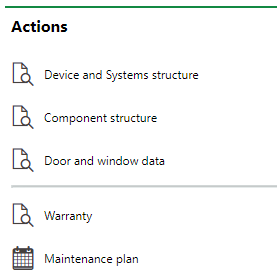
Actions Template for VertiGIS FM Maintenance
When you add an Actions template to the dashboard, you must specify the product whose Actions template you want to add.
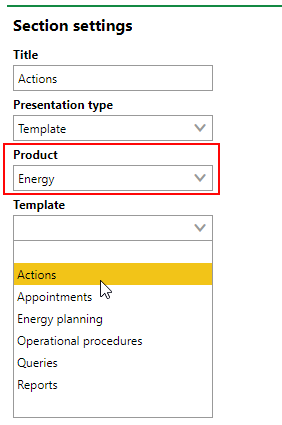
Actions Template for VertiGIS FM Energy
Not all VertiGIS FM products and modules have an Actions template associated with them.
Refer to the links below for information on the contents of the various VertiGIS FM products' Actions templates:
Operational Procedures
The Operational Procedures template contains a set of shortcut links for the VertiGIS FM product whose dashboard you are editing. Your users require access to these buttons to complete tasks within several VertiGIS FM products and modules.
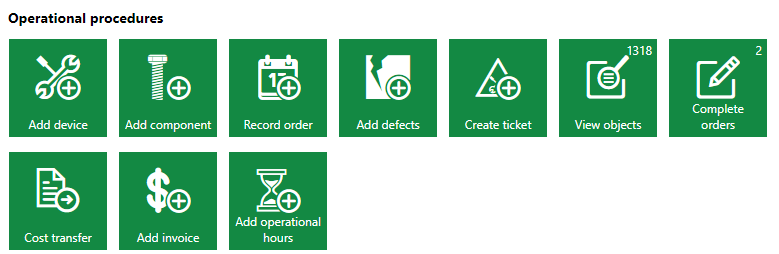
Operational Procedures Template for VertiGIS FM Maintenance
Refer to the links below for information on the contents of various VertiGIS FM products' Operational Procedures templates:
Not every VertiGIS FM module has an Operational Procedures template.
Queries and Reports
If you add the Queries or Reports templates to your dashboard, your users will see links to search queries and download links for reports, respectively, that the administrator has made available on the dashboard for their user roles.
Reports Section |
Queries Section |
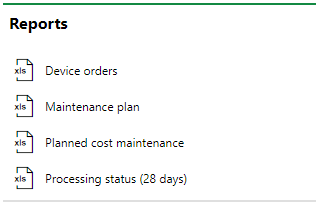
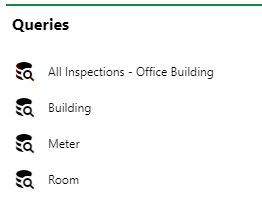
Refer to Report and Query Permissions for more information.
Task-Based Templates
Templates for task-based data objects, like appointments, subcontracts, service desk tickets, and work orders, are available for dashboards for various VertiGIS FM products and modules. These templates typically show the user signed in to VertiGIS FM the tasks assigned to the employee associated with their user.

Appointments Section on the VertiGIS FM Maintenance Dashboard
These templates are included in the most VertiGIS FM products' and modules' default dashboards, meaning they are displayed if the dashboard has not been customized.
Refer to the links below to see examples of task-based templates available for dashboards for various VertiGIS FM products and modules:
Legacy Dashboards
•VertiGIS FM Buildings legacy dashboard
•VertiGIS FM Contracts legacy dashboard
•VertiGIS FM Energy legacy dashboard
•VertiGIS FM Maintenance legacy dashboard
•VertiGIS FM Parcel legacy dashboard
•Condition Assessment legacy dashboard
•Contact Management legacy dashboard
•Costs and Budget legacy dashboard
•Cost Calculation legacy dashboard
•Document Management legacy dashboard
•Fleet Management legacy dashboard
•Green Area Management legacy dashboard
•Inventory Management legacy dashboard
•Key Management legacy dashboard
•Playground Management legacy dashboard
•Project Management legacy dashboard
•Rental Management legacy dashboard
•Service Desk legacy dashboard