You can register a vehicle's lease in VertiGIS FM by selecting Leasing in the Ownership menu when you edit the vehicle's details.

Ownership Menu in Commercial Characteristics Tab
Selecting Leasing in the Ownership menu makes the Leasing section visible on the vehicle's details page.
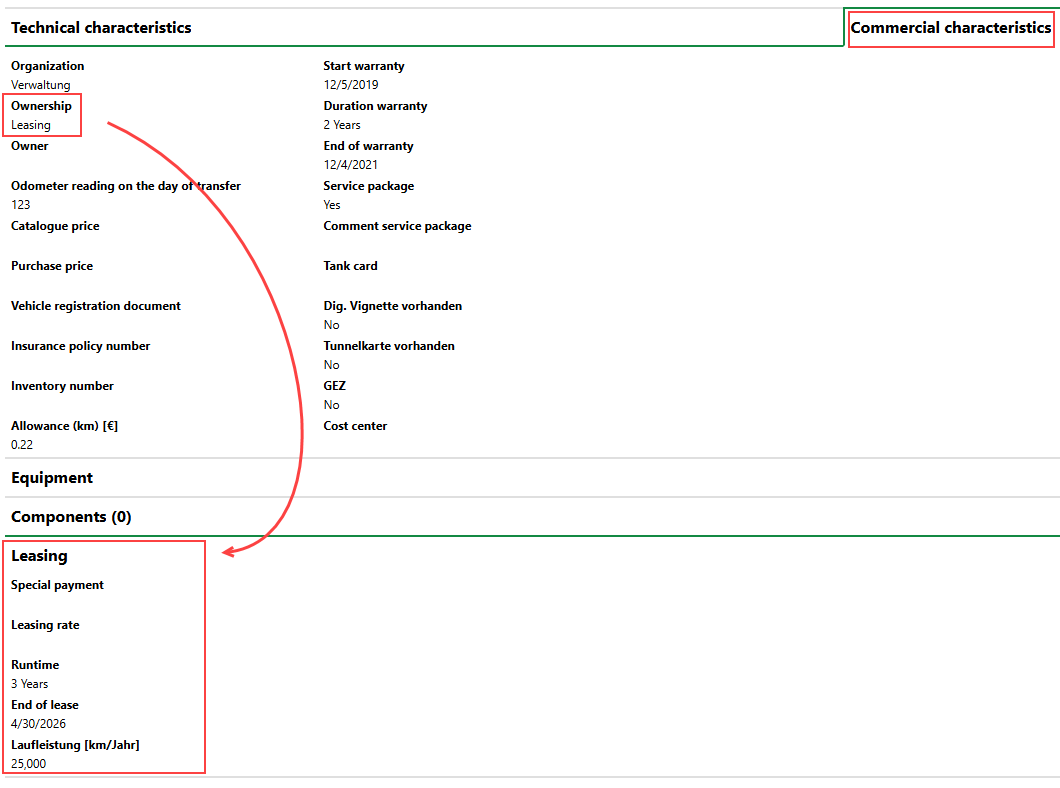
Visible Leasing Section
You can specify the vehicle's lease in this section when you edit the vehicle's details and expand the Leasing section. Refer to Lease Details for descriptions of the information fields in this section.
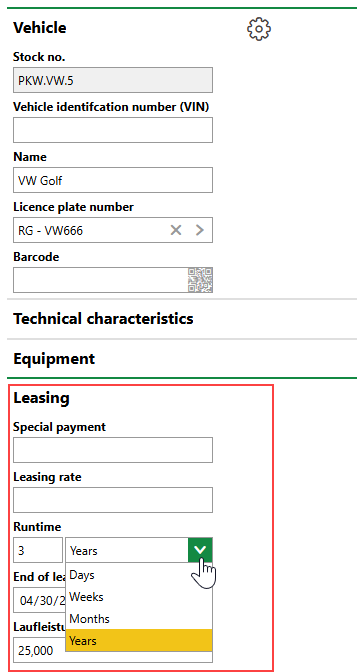
Entering Lease Details
Field |
Description |
|---|---|
Special payment |
A one-time payment made on the lease. |
Monthly leasing rate |
The price of monthly payments made on the lease. |
Runtime |
The length of the vehicle's lease. |
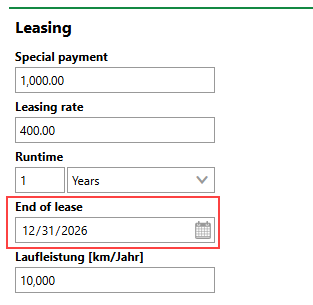
End of lease |
The date the vehicle's lease ends. |
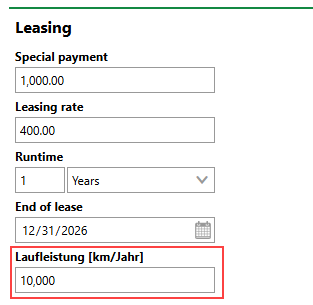
Laufleistung [km/Jahr] |
The vehicle's expected annual mileage on the lease. |
KM Check
Refer to the KM Check section on the Fleet Management legacy dashboard to see vehicles
•that are under lease (have Leasing selected in the Ownership menu in the vehicle details).
•assigned a licence plate whose State is Registered.
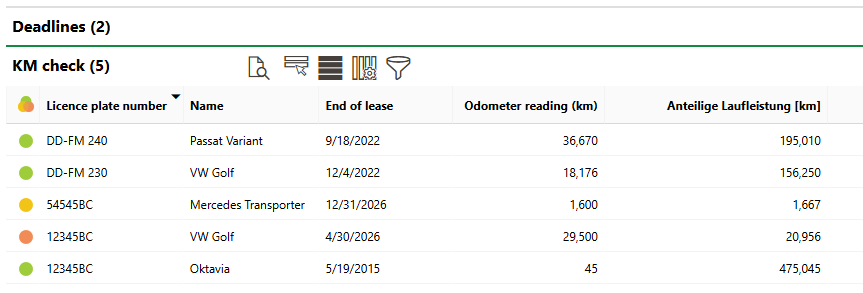
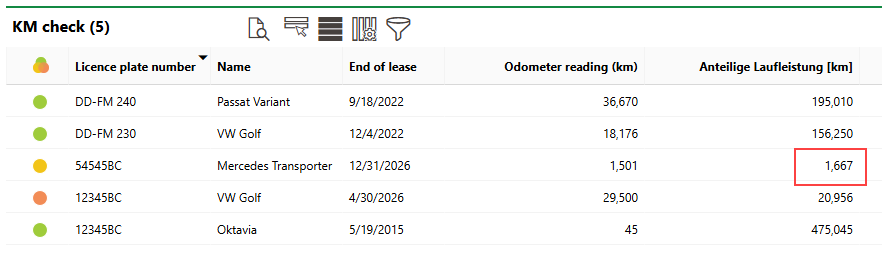
KM Check Section on Fleet Management Dashboard
KM Check Data
Field |
Description |
||||||
|---|---|---|---|---|---|---|---|
|
The current state of the vehicle's logged mileage in relation to the allowable mileage specified in the vehicle's lease.
|
||||||
Licence plate number |
The licence plate assigned to the leased vehicle. |
||||||
Name |
The name of the vehicle under lease. |
||||||
End of lease |
The date the vehicle's current lease ends, as specified in the lease.
Vehicle Lease End Date |
||||||
Odometer reading |
The odometer reading after the most recent trip entered in the vehicle's driver's log. Odometer readings between driver's log entries are used to calculate the vehicle's mileage during the lease. |
||||||
Proportional mileage |
The lease's pro-rated allowed mileage at the current point in the year. VertiGIS FM determines this value using the annual mileage value specified in the vehicle's lease.
Vehicle Lease Annual Mileage In the example of the list shown above, the mileage is 10,000 km for the year of the lease. In the Proportional Mileage column in the KM Check section, VertiGIS FM divides the annual mileage by 12 (the number of months in a year) and then multiplies the resulting value by the number of months completed in the current year: proportional mileage = annual mileage/12 × number of completed months in the year. In March, therefore, the Proportional Mileage of a vehicle whose annual mileage is 10,000 is 1,667 (10,000/12 = 833.33 × 2 = 1,666.66).
Proportional Mileage of Vehicle with 10,000 Annual Mileage Lease After Two Months |
||||||
Deviation |
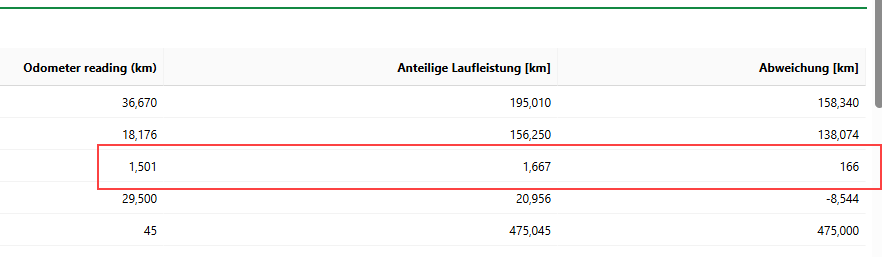
The vehicle's Proportional Mileage value minus its current Odometer Reading value.
Relationship Between a Lease's Proportional Mileage, Odometer Reading, and Deviation The Deviation value in the example above is yielded by the following equation: proportional mileage - odometer reading = deviation. In the example shown above, the vehicle's Deviation is 166 (1,667 - 1,501 = 166). |