Component subgroups refer to the hierarchy level beneath component groups and above component types in the Component Structure. You can use them as optional sub-grouping mechanisms for component types within a group.
To see component subgroups in a particular group, navigate to the group's details page. Its component subgroups are listed in the Names section.
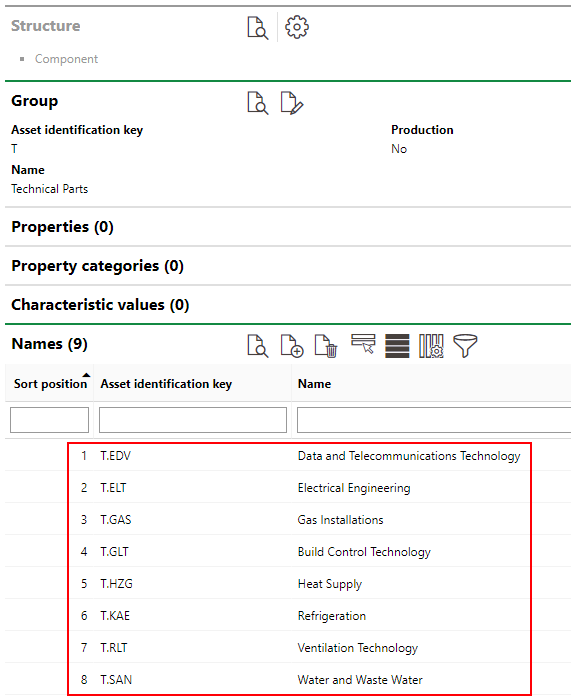
Component Subgroups Listed in the Names Section on the Group Details Page
To view a component subgroup's details and its associated types, double-click a component subgroup in the Names section. Alternatively, you can select the component subgroup you want to open and click the View Details ( ) icon.
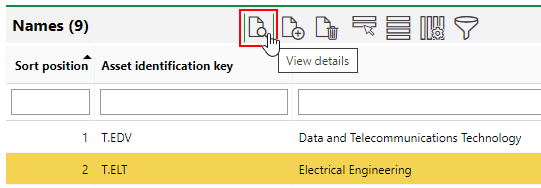
View Details Icon to Open Component Subgroup on Group Details Page
Component Subgroup Details Page
The component subgroup details page includes the sections below.
Name
The Name section stores the component subgroup's high-level details. You can edit these properties by clicking the Edit ( ) icon.
Field |
Description |
|---|---|
Asset Identification Key |
The identifier for the component subgroup, which includes the group's identifier and the component subgroup own unique identifier. Refer to Asset Identification Keys. |
Name |
The user-assigned name given to the component subgroup. |
Sort position |
A field in which you can enter an alphanumeric value for sorting purposes. |
Properties
The Properties section lists the Additional Properties created for the component subgroup. Additional Properties allow you to enter and store data in custom fields of any data type in the Additional Properties section on the device details, component details page, or vehicle details page for assets in the component subgroup. Refer to Flexible Properties for more information.
Properties Categories
The Property Categories section lists the Property Categories created for the component subgroup. Property categories allow you to enter and store data in custom fields of any data type in a section with a custom name on the device details, component details page, or vehicle details page for assets in the component subgroup. Refer to Flexible Properties for more information.
Characteristic Values
The Characteristic Values section lists the Characteristic Values created for the component subgroup. Characteristic values allow you to enter and store multiple values in custom fields continually, on an ongoing basis, on the device details, component details page, or vehicle details page for assets in the component subgroup. Refer to Flexible Properties for more information.
Types
The Types section lists the component types in the component subgroup. You can add a component type to the component subgroup in this section. Refer to Components Structure for information about hierarchical device grouping.
Double-click a type in the Types section to navigate to its details page.
If any of the sections described in this topic do not appear on the details page, you may need to edit the section authorization to show them.