A budget pool with a cost type uses a cost type in your VertiGIS FM database to pool the budgets of its subordinate accounts. The sum of the budgets of the accounts added to the cost type is the budget pool's amount, available to cover costs associated with any of its subordinate accounts.
Refer to the sections below for instructions on how to set up a budget pool that uses a cost type.
Create a Cost Type with Budget Pooling Enabled
A cost type that has the Covered Bond setting enabled must exist in your database.
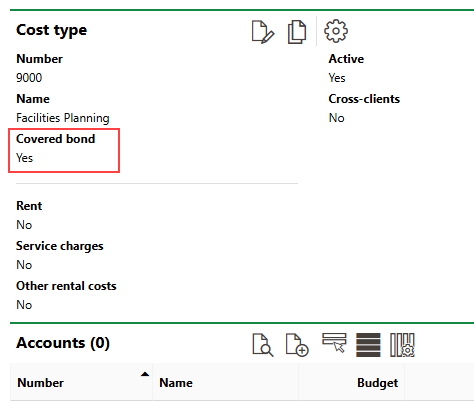
Cost Type with Covered Bond Setting Enabled
Refer to Add, Edit, or Delete a Cost Type to create a new cost type or to enable budget pooling for an existing cost type.
Set Budgets for Associated Accounts
The accounts you want to add to the budget pool must all have their own budgets set for the fiscal year you are creating the budget pool for.
Refer to Add an Account and Create a Budget for a Single Account, Cost Center, or Cost Object.
Link Accounts and Cost Type
Link the accounts you want to include in the budget pool to the cost type you created for the budget pool. To do this, edit an account, select the cost type in the Cost Type menu in the account details, and save the account.
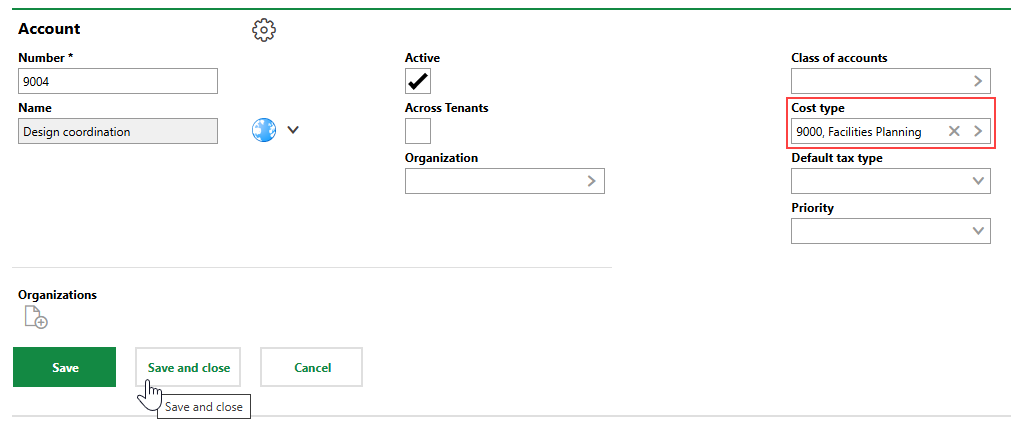
Cost Type Menu in Account Details
All accounts that have the cost type selected in their core properties appear in the Accounts section on the details page for the cost type you created.
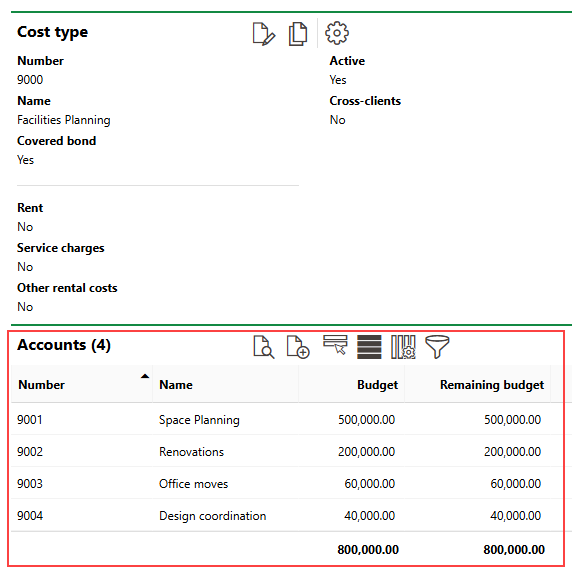
Accounts Associated with Cost Type
Process Invoices
When you have enabled budget pooling for the cost type and added subordinate accounts, the budget pool is active. If the sum of incoming invoices that invoke the account exceeds the account's budget, funds from the budgets set for other accounts in the pool are used, if available.
For example, a contractor that coordinates design work for your company's facilities sends your company an invoice for an amount that exceeds the budget set for design coordination ($40,000).
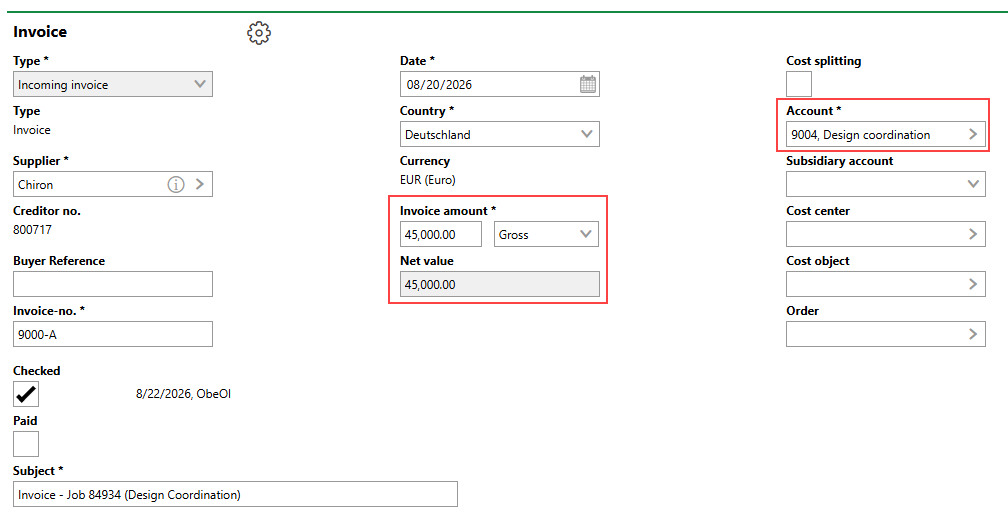
Invoice with Amount Exceeding Account's Budget
You must check an incoming invoice for it to count against a budget.
Because the account is in a budget pool with other accounts that have sufficient available funds, VertiGIS FM allows you to check the invoice even though its amount ($45,000) exceeds the amount in the account's budget ($40,000).
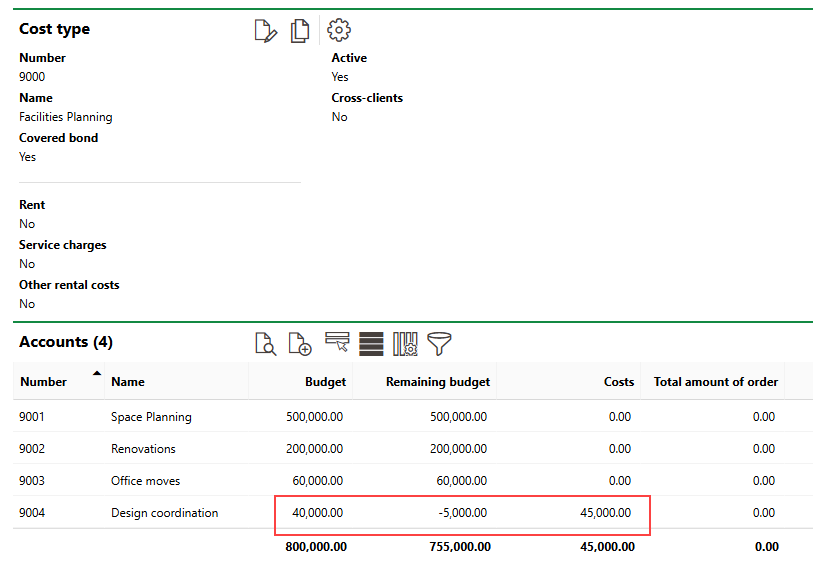
Account in Budget Pool with Negative Balance on Remaining Budget
If the cost type's Covered Bond check box is not selected, the system will not allow you to check an invoice whose amount is higher than the budget for the selected account.
The amount invoiced to account 9004 is subtracted from total budget of accounts in the budget pool.
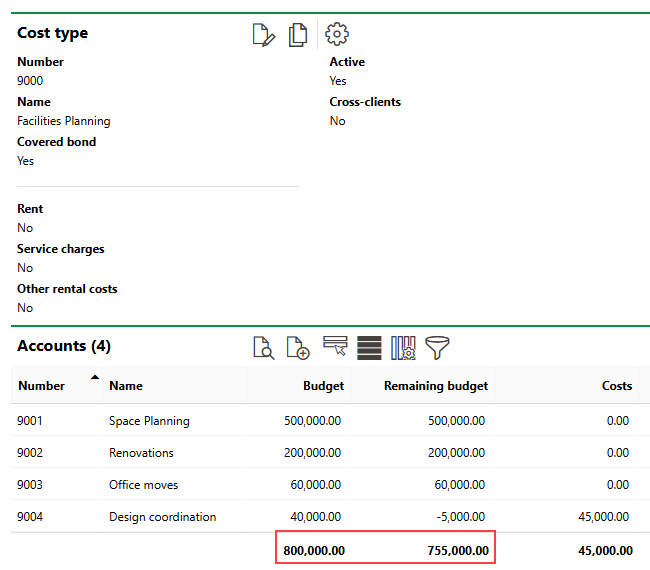
Invoice Amount Subtracted from Budget Pool
Effectively, the sum of the budgets of accounts added to the pool is shared among all accounts in the pool.