On the Tree tab, you can see all tree inspections, orders, and investigations assigned to you, initiate workflows to update them, and access lists of trees and tree areas in your selected green areas.
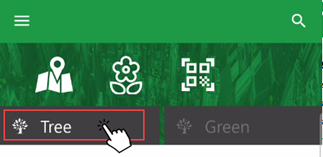
Navigation to Tree Tab
Enable Green Area Filter
The Tree tab only shows data for trees and tree clusters located in the green areas you specify in the mobile app. In VertiGIS FM, a tree is located in the green area selected in the Green Area menu in the tree's details.
You can limit or expand the data included on the dashboard by enabling the app's green area filter. This feature lets employees limit the tree data they see in the app to the green areas they are responsible for maintaining.
Refer to Enable Green Area Filter for instructions.
Widgets
You can swipe between the following widgets on the Tree tab.
My Inspections
The My Inspections widget shows active tree inspections assigned to the user signed in to the application.
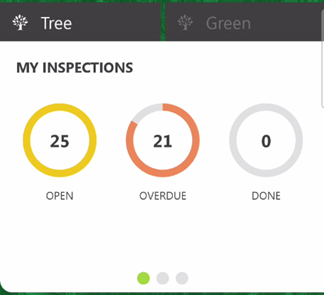
My Inspections
The Open, Overdue, and Done counters represent the number of tree inspections that meet the criteria described in the table below.
My Inspections
Status |
Description |
|---|---|
Open |
Tree inspections that have the user signed in to the app selected in the Responsible field. |
Overdue |
Tree inspections that have the user signed in to the app selected in the Responsible field and that have a Planned Date in the past. |
Done |
Tree inspections you have closed since synchronizing the app. This number resets to 0 after you synchronize the app. |
The Responsible and Planned Date fields are in the inspection details.
Tap a counter to open the list of tree inspections.
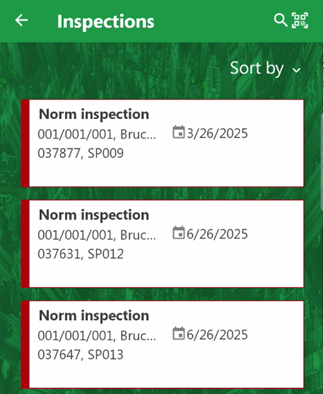
List of Tree Inspections
My Maintenance Orders
The My Maintenance Orders widget shows active tree orders assigned to the user signed in to the application.
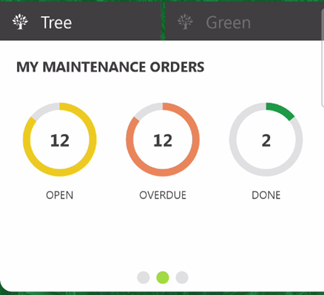
My Maintenance Orders
The Open, Overdue, and Done counters represent the number of tree inspections that meet the criteria described in the table below.
My Maintenance Orders
Status |
Description |
|---|---|
Open |
Maintenance orders that have the user signed in to the app selected in the Responsible field. |
Overdue |
Maintenance orders that have the user signed in to the app selected in the Responsible field and that have a Planned Date in the past. |
Done |
Maintenance orders you have closed since synchronizing the app. This number resets to 0 after you synchronize the app. |
The Responsible and Planned Date fields are in the order details.
Tap a counter to open the list of tree orders.
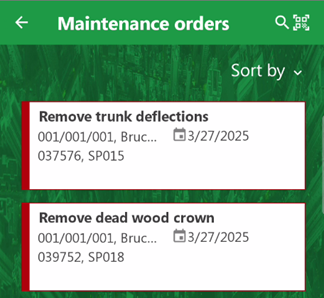
List of Tree Orders
My Investigations
The My Investigations widget shows active tree investigations assigned to the user signed in to the application.
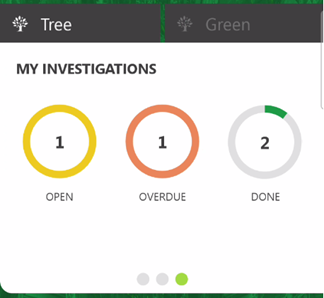
My Investigations
The Open, Overdue, and Done counters represent the number of investigations that meet the criteria described in the table below.
My Investigations
Status |
Description |
|---|---|
Open |
Investigations that have the user signed in to the app selected in the Responsible field. |
Overdue |
Investigations that have the user signed in to the app selected in the Responsible field and that have a Planned Date in the past. |
Done |
Investigations you have closed since synchronizing the app. This number resets to 0 after you synchronize the app. |
The Responsible and Planned Date fields are in the investigation details.
Tap a counter to open the list of tree investigations.
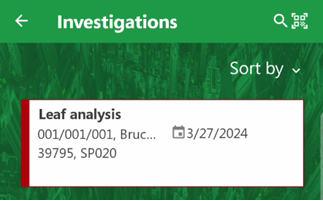
List of Tree Investigations