A sales clause stipulates that the renter or leaseholder must pay the landlord a percentage of its commercial revenue, in addition to its base rent and other service fees. Sales clauses are common in rental contracts for commercial spaces. For example, a sales clause could stipulate a renter who operates a clothing store in the landlord's commercial space must pay the landlord 7% of their sales every month.
In VertiGIS FM, you can include a sales clause in a rental agreement's or lease contract's rental costs. When you add a sales clause to a contract, you can then document the business's monthly revenue so that sales data is associated with the contract.
Add a Sales Clause
You can add a sales clause to any rental agreement or lease contract on its rental costs page.
To Add a Sales Clause to a Rental Agreement or Lease Contract
1.Navigate to the details page for the rental agreement or lease contract to which you want to add a sales clause.
2.Click the Rental Costs ( ) icon.
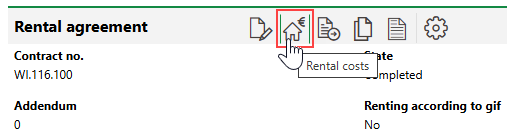
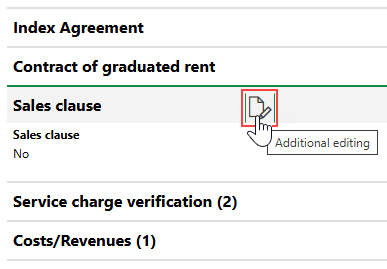
3.Expand the Sales Clause section and click the Additional Editing ( ) icon.
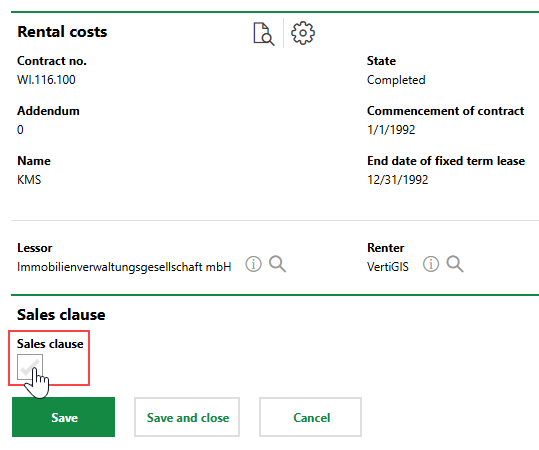
4.Select the Sales Clause check box.
5.In the form that opens, enter the conditions of the sales clause in the corresponding data fields. Refer to Sales Clause details for form field descriptions.
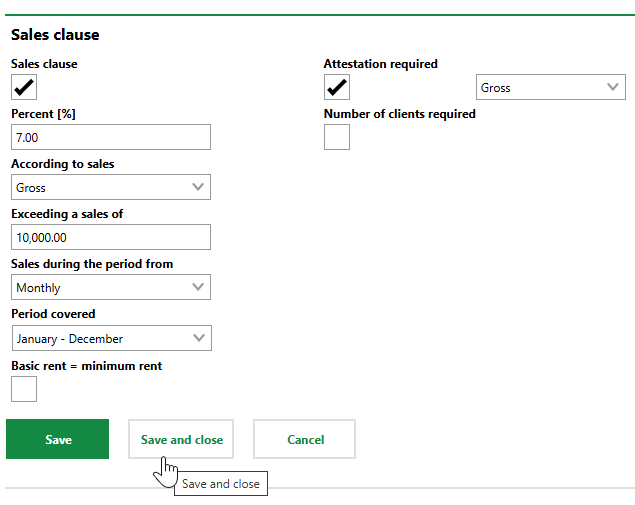
6.Click Save and Close.
Field |
Description |
|---|---|
Percent [%] |
The percentage of the renter or leaseholder's revenue that they pay to the landlord. |
According to sales |
Whether the sales clause rent in the Percent [%] field is applied to the business's gross sales (total revenue) or net sales (revenue after necessary reductions). |
Exceeding a sales of |
The sales breakpoint, or minimum revenue the business must earn in a given period for the sales clause to be applied. |
Sales during the period from |
How frequently the sales clause is applied to the business's revenue (for example, monthly, quarterly, or annually). |
Period cover |
The period of the year during which the sales clause is applied. If the sales clause is applied to revenue collected all year, you can select January-December from the drop-down menu. This field differs from the Sales during the period from field in that it specifies which time(s) of the year the business's sales are subject to the sales clause, not how frequently the sales clause is applied. For example, if you select Monthly from the Sales during the period from menu and April-March from the Period Cover menu, the renter or leaseholder will pay the landlord a percentage of its sales in March and then again in April. |
Basic rent = minimum rent |
A check box that, if selected, means the renter or leaseholder's rent payments cannot decrease below the base rent as a result of poor sales. |
Attestation required |
A check box that, if selected, legally requires the renter or leaseholder to report their sales to the landlord. If you select the check box, you can select Gross or Net from the adjacent drop-down menu to specify whether the landlord or leaseholder must report their gross or net sales. |
Number of clients required |
|
Document Sales
You can document monthly sales for any business whose rental agreement or lease contract has a sales clause.
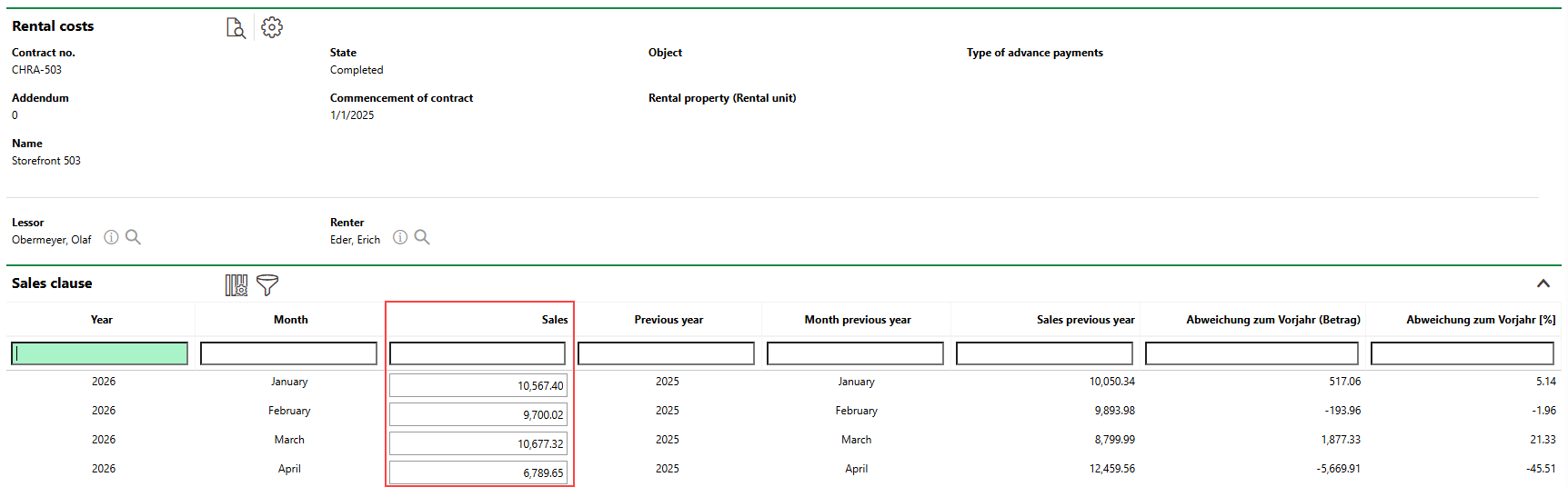
Sales Entry for Rental Agreement
The rental agreement's or or lease contract's rental costs page includes the Sales section when the Sales Clause property is set to Yes. The Sales section is not visible if the contract does not have a sales clause.
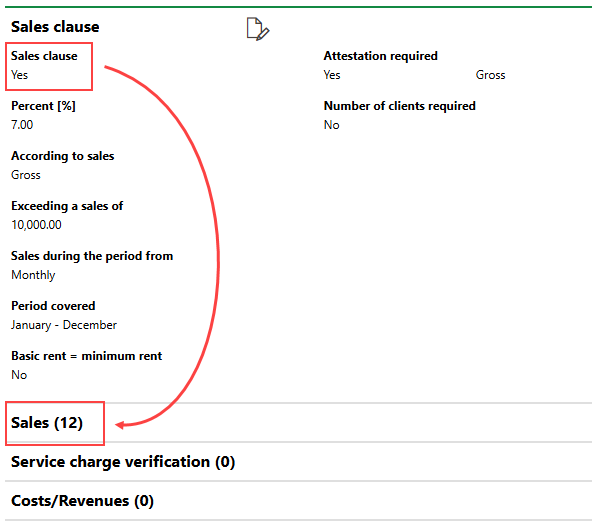
Sales Clause Flag and Sales Section
Fiscal Year
The Sales section shows sales for the current fiscal year.
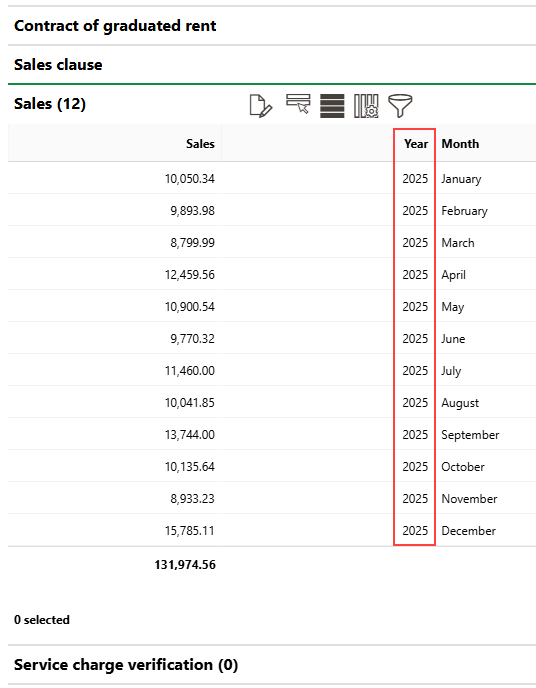
Sales Recorded for 2025
The sales for each month are listed in the Sales column. When you update the fiscal year in VertiGIS FM, the sales from the previous year are moved into the Sales Previous Year column.
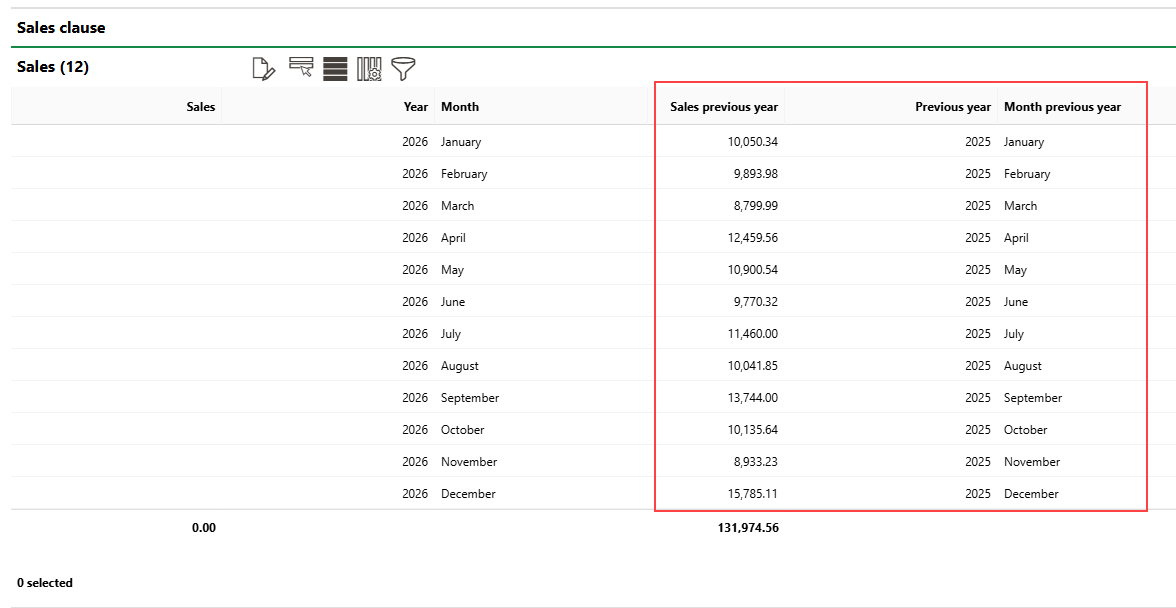
Previous Year Sales Data
Enter Monthly Sales
You can enter monthly sales recorded for a business that has a rental agreement or lease contract with a sales clause in the Sales section on the contract's rental costs page.
Ensure VertiGIS FM is set to the fiscal year for which you want to enter sales.
To Enter Monthly Sales
1.Navigate to the details page for the rental agreement or lease contract for which you want to document monthly commercial sales.
2.Click the Rental Costs () icon.
3.Expand the Sales section and click the the Additional Editing ().
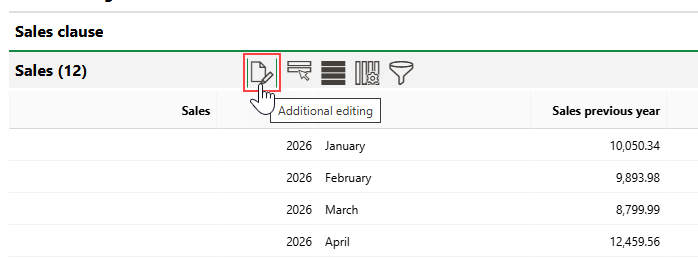
The Sales section is not visible if the contract does not have a sales clause. Refer to Add a Sales Clause for instructions to add one.
4.In the Sales column, in the row(s) for the month(s) whose sales you want to enter, enter the monthly revenue for the business associated with the rental agreement or lease contract.
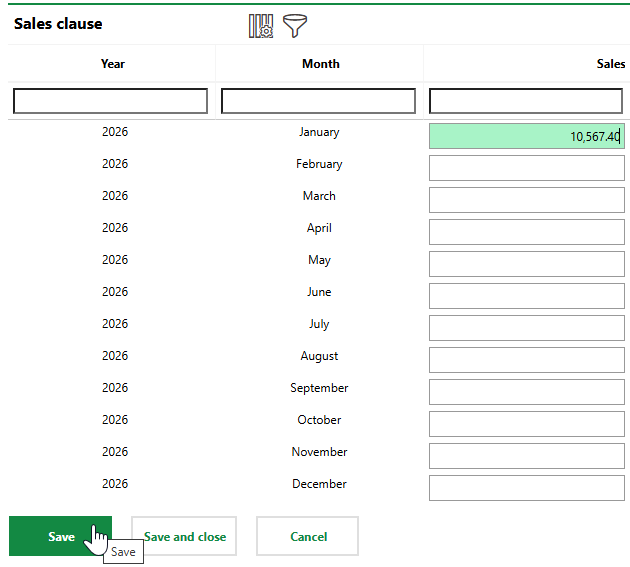
5.Click Save or Save and Close.
The sales for the month is documented. VertiGIS FM compares the value with the sales from the same month of the previous year (for example, January 2025 and January 2026) and indicates the difference in currency in the Change from Previous Year (Amount) column, and the change in percentage in the Change from Previous Year [%] column.

New Sales Entry Compared to Previous Year's Sales
You cannot generate invoices or adjust line items in the rental costs based on the rental agreement's sales clause or monthly sales. The Sales Clause and Sales sections are information-only fields to provide additional context about the terms of the rental agreement.