In VertiGIS FM, individual locks are the lowest lock level in a locking system. An individual lock opens a lock for a single room in your facility.
Individual locks must be associated with cylinders, doors, and rooms in your system to establish their building access. These associations document the room the individual lock protects, as well as the rooms the group lock keys and central lock keys above it in its locking system hierarchy can access.
Details Page
Every individual lock in a locking system has its own details page that stores its properties and documents its hierarchical relationships to other locks. You can access an individual lock's details page by double-clicking an individual lock in the Individual Locks section on its locking system's details page.
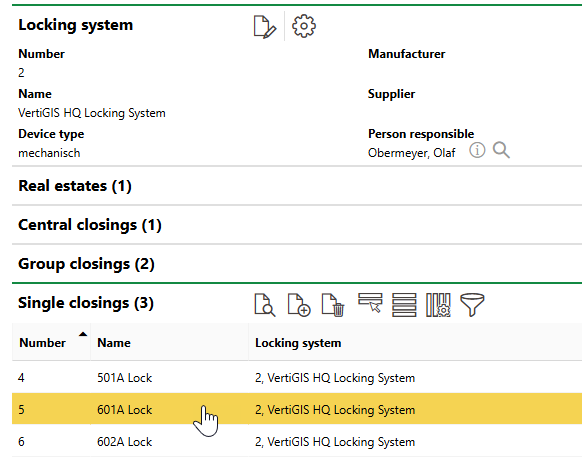
Navigation to Individual Lock Details Page
Each details page has the following information fields and sections.
Details
The Details section stores the following information fields for the individual lock.
Field |
Description |
|---|---|
Number |
A number or code to identify the individual lock. This value must be unique from other central locks, group locks, and individual locks in the locking system. |
Name |
A name for the individual lock. |
Hierarchy
The Hierarchy section outlines the individual lock's hierarchical relationship to central locks and group locks in the same locking system.
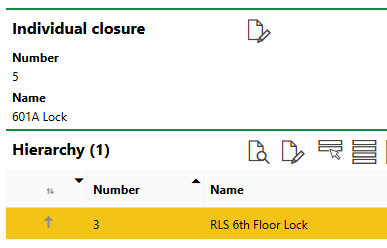
Hierarchy Section
For individual locks, the Hierarchy section only lists central locks that have a direct superior hierarchical relationship to the individual lock. If the individual lock has a subordinate relationship to a group lock that has a superior relationship to a central lock, the central lock does not appear in the Hierarchy section on the individual lock's details page.
Refer to Establish Locking Hierarchies for more information.
Key
The Key section lists keys assigned to the individual lock. Individual lock keys control access to a room or combined area in your facility.
Refer to Assign Keys to Locks.
Access to Rooms
The Access to Rooms section shows the room that the keys assigned to the individual lock can open. For a room to appear in this section,
•a door must be installed in the room and have the door's access to the room specified in the Access to Rooms section on the door's details page,
•a cylinder must be installed in the individual lock,
•the cylinder mentioned in the previous bullet must be installed in the door described in the first bullet point, and
•the individual lock must be assigned a key.
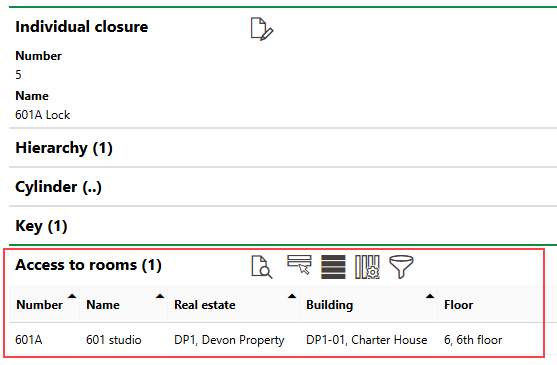
Access to Rooms Section
Refer to Manage Room Access.