Once a job status shows as Completed, you can proceed to close it.
Prerequisites for closing a job:
•the user must be the owner of the version.
•the user - if of type worker - must have the Close Job permission.
To close a completed job:
1.Select the completed job from the job list.
2.Click Close Job.
3.Review the warning dialogue that appears:
The action will post and delete the version created for the job. Any unsaved edits would be permanently lost. You need to make sure that you save all your changes before proceeding.
4.Ensure that all changes have been saved.
5.Click Confirm to proceed with closing the job.
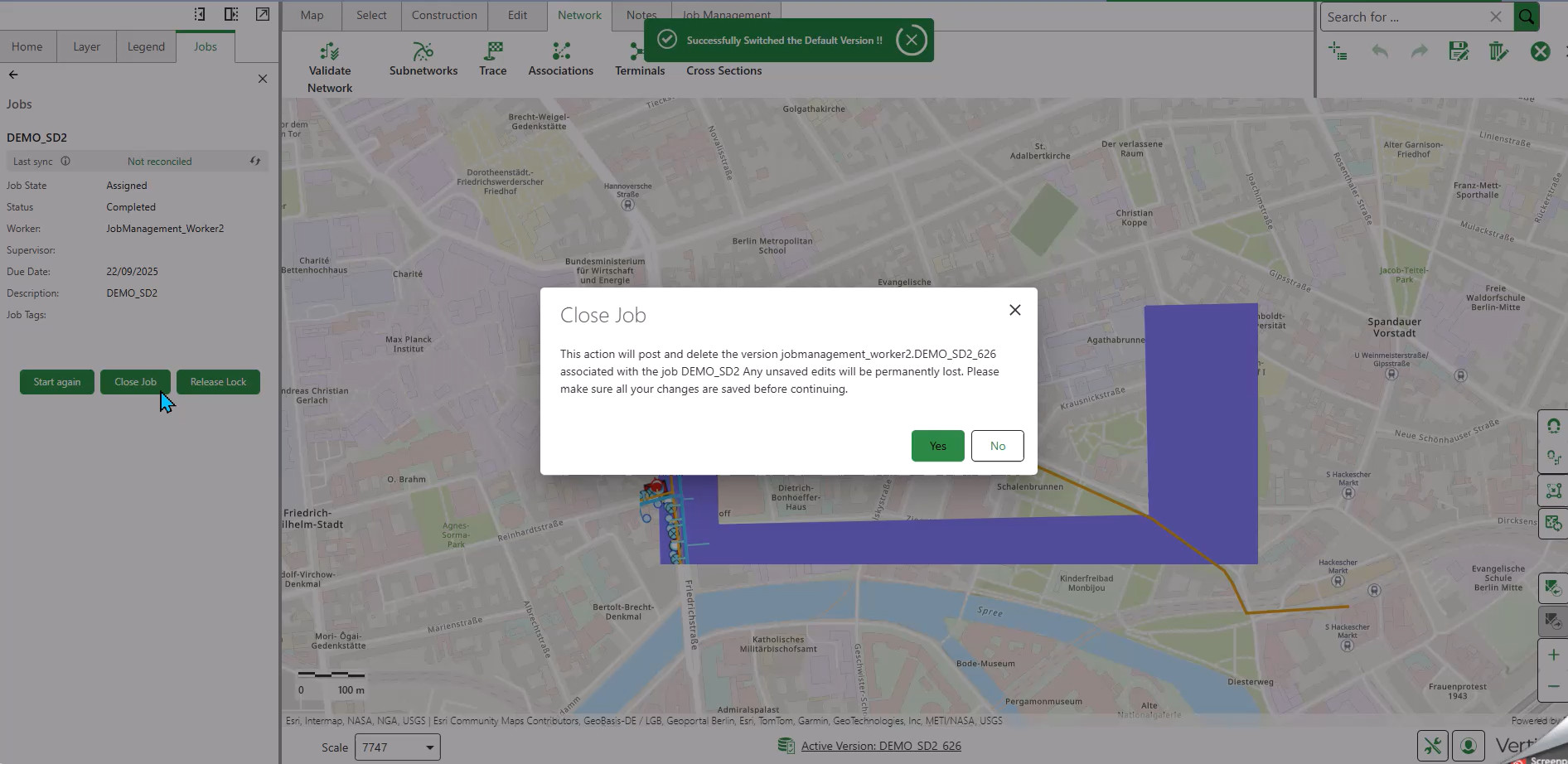
When you close a job, the system performs several automated steps:
Step 1: Reconcile Versions
The system reconciles the job versions with the default version:
•All changes from the default version are compared to those of the branch versions.
•If successful, you will see: "Reconciled version [version-name]"
This message confirms there were no conflicts while reconciling the job
If conflicts are detected when closing a job, they must be resolved before the version is released and deleted. See Reconcile Job Versions and Resolve Conflicts.
Step 2: Release Lock
Before deletion, the system releases the lock on the job versions:
•A locked version cannot be modified or deleted
•The system automatically releases the lock after the reconcile operation succeeds
•You will receive confirmation when the lock is released
Once a lock is released, all unsaved edits of the version are lost.
Step 3: Post to Default Version and Delete Branch Versions
After reconciling the job and releasing the lock, the system posts changes from branch versions to default version.
Then, the system deletes the branch versions created for the job - including all job-related versions across every feature service involved in the job.
Deletion behavior:
•Changes from the branch versions are posted to the default version.
•The system attempts to delete each job version in all associated feature services.
•If a version cannot be deleted, a message appears indicating which version failed.
•The deletion process continues for any remaining versions; it does not stop when an error occurs.
The job is still closed successfully even if one or more versions fail to delete, because version deletion cannot be reversed once the job is posted.
After all deletion attempts complete, you will receive confirmation that the job version(s) were posted and deleted.
All edits are now permanently merged into the default version.
View Merged Changes
After successfully closing a job, view the merged changes:
1.Ensure you are in the Default version.
2.Refresh the map.
All changes made during the job are now visible in the default version.