This topic outlines how to sign in and sign out of the application.
Sign In to VertiGIS FM
To sign in to VertiGIS FM, you must have a VertiGIS FM user name and password. If you do not have internal VertiGIS FM credentials, contact your system administrator for assistance.
You may be able to sign in using single-sign on (SSO) if your VertiGIS FM implementation has been configured for OAuth or LDAP sign-in. Refer to External Authentication for more information.
To Sign In to VertiGIS FM
1.Navigate to the URL at which your VertiGIS FM implementation is hosted.
2.In the Username and Password boxes, enter your user name and password.
To remain signed in to the application when you close the window, select the Remain Logged In check box.
3.Click Log In.
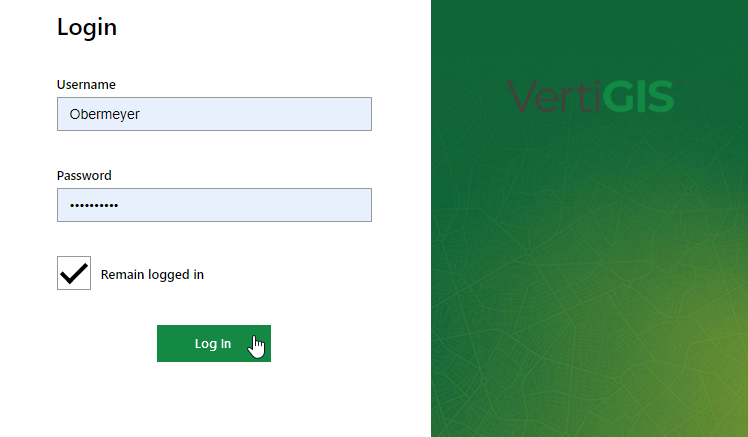
When you sign in, the system directs you to the home page, a dashboard, or a Search Page, based on the start page setting assigned to your user or user role. Refer to Set Start Page (User Role) or Start Page (User).
Start page settings saved at the user level override start page settings saved for the user role assigned to the user.
Sign In with OAuth
If your VertiGIS FM environment is configured for single-sign on with OAuth 2.0/OpenID Connect, users in your Entra ID tenant can authenticate just by navigating to the Base URL of your VertiGIS FM implementation. The system bypasses the standard sign-in screen and may prompt users to enter their Microsoft 365 credentials.
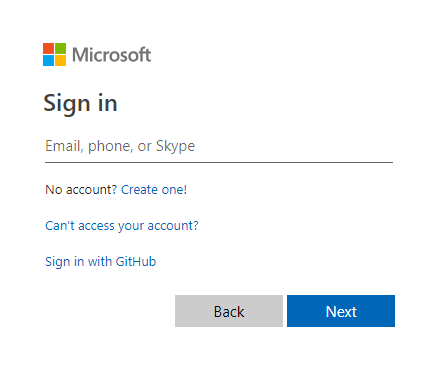
Windows Authentication Prompt
Refer to OAuth for more information about how to configure your VertiGIS FM implementation for OAuth 2.0/Open ID Connect sign in.
Sign Out of VertiGIS FM
You can sign out of VertiGIS FM from any page in the application. To sign out, click the vertical ellipses in the top-right corner of the page of and select Log Off.
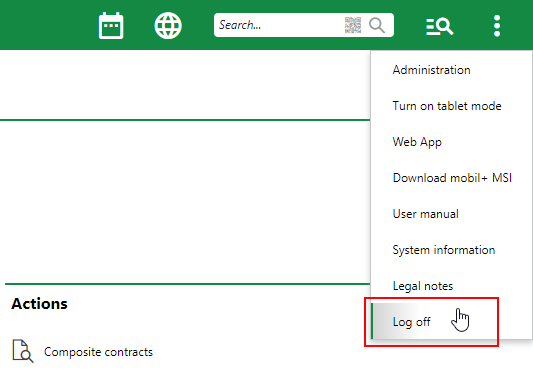
Sign Out Option in VertiGIS FM