Stocktaking is the act of counting your inventory in a specific location and documenting which items are present and which are missing.
In the context of stocktaking in VertiGIS FM, "inventory" refers to inventory items in the Inventory Management Structure and devices in the Device and Systems Structure that are associated with a given location in VertiGIS FM Buildings (for example, a building or room).
Using the VertiGIS FM Inventory Management module, you can easily plan, execute, and document stocktakes of your inventory. You can initiate all stocktake actions from the Inventory Management dashboard.
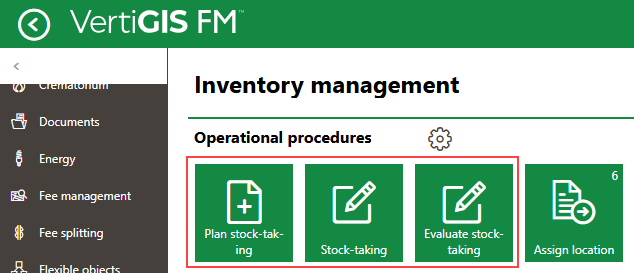
Links to Stocktaking Workflows
In VertiGIS FM, stocktakes occur in three stages:
•Plan the stocktake: select the building location(s) whose inventory you want to count, specify the type of inventory you want to count, and specify a date for the stocktake to occur.
•Conduct the stocktake: count or scan inventory in the building locations targeted by the stocktake.
•Review and complete the stocktake: review counted or scanned inventory, missing inventory, and relocated inventory, and then mark the stocktake as complete.
Stocktakes target a particular real estate, building, floor, or room. Employees who complete a stocktake must count all of the inventory situated in the selected building location as well as the locations below it in the building hierarchy. For example, if you select a building as the location for a stocktake, an employee must count all of the inventory located in the building (i.e., listed in the Inventory section on the building's details page) as well as the inventory located directly on all the floors in the building and in all of the rooms located on all of the floors.