A successor order is an order whose date properties (execution period or milestone) adjust according to the completion of another order, called the predecessor order.
For example, on a building construction project, you could create an order for structural framing as the successor order to another order for pouring the concrete foundation, because work on structural framing cannot begin until the foundation has been poured. If you have to move back the completion of the foundation (predecessor) because of weather conditions, VertiGIS FM moves back the dates for the structural framing order (successor) as well.
Create a Successor Order
You can create successor orders in the Successor section on the details page for the order you want to establish as its predecessor.
To Create a Successor Order
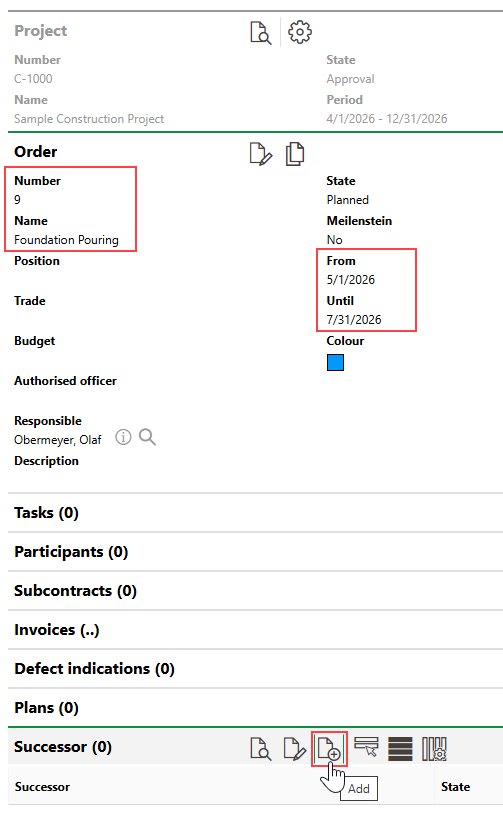
1.Navigate to the details page of the order you want to be a predecessor.
2.Expand the Successor section and click the Add ( ) icon.
3.Enter a name that describes the new successor order in the Name text box.
The predecessor order is indicated in the Predecessor field.
4.In the From field, select a date after the predecessor's Until or milestone date.
5.Enter additional order details as available.
Refer to Order Details for descriptions of all form fields.
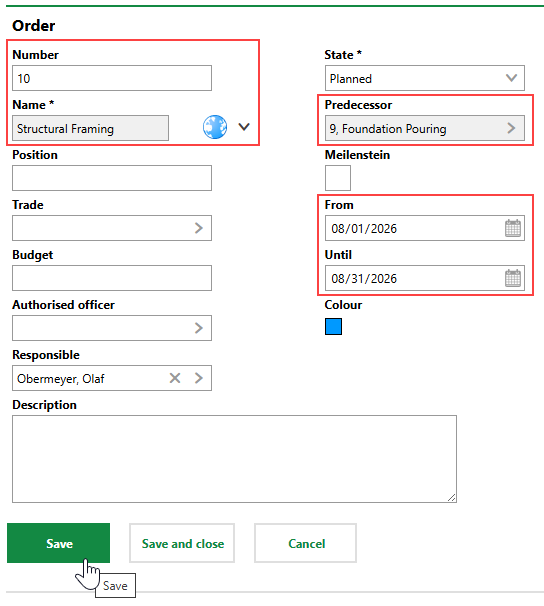
6.Click Save or Save and Close.
7.On the confirmation prompt that opens, click Yes.
On the details page for the successor order you created, you can click the  icon in the Predecessor field to navigate to the predecessor order's details page.
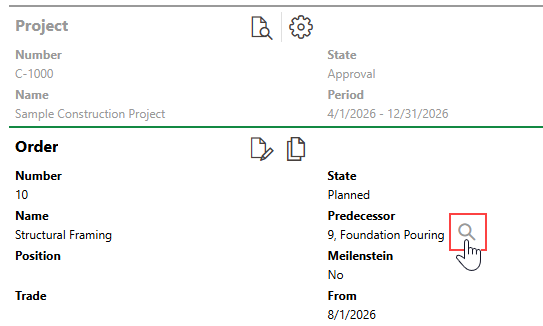
Shortcut to Predecessor Order
Adjust Dates
On the details page for the predecessor order, you can see that the predecessor order is scheduled to end on July 31, and its successor order begins August 1.
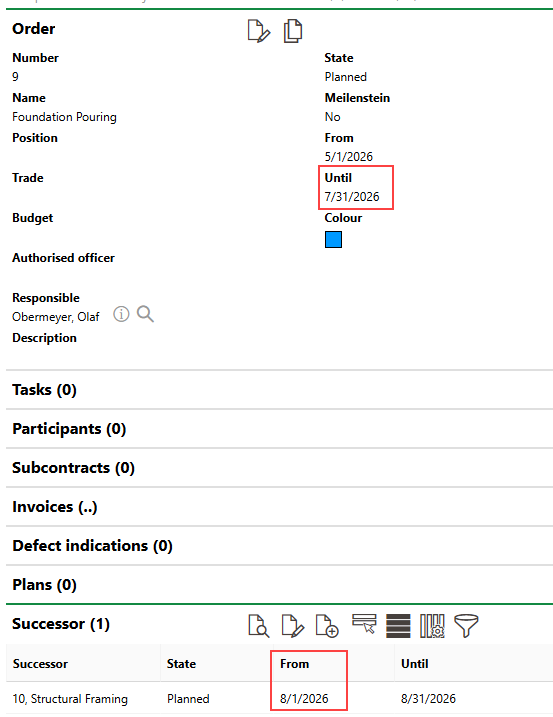
Predecessor and Successor Dates
If factors affect progress on the project, you can shift the dates of all an order's successors just by editing the dates of the predecessor. To change the predecessor's dates, edit the order and select a later date in the Until field.
In this example, the order's completion date is moved from July 31 to August 17.
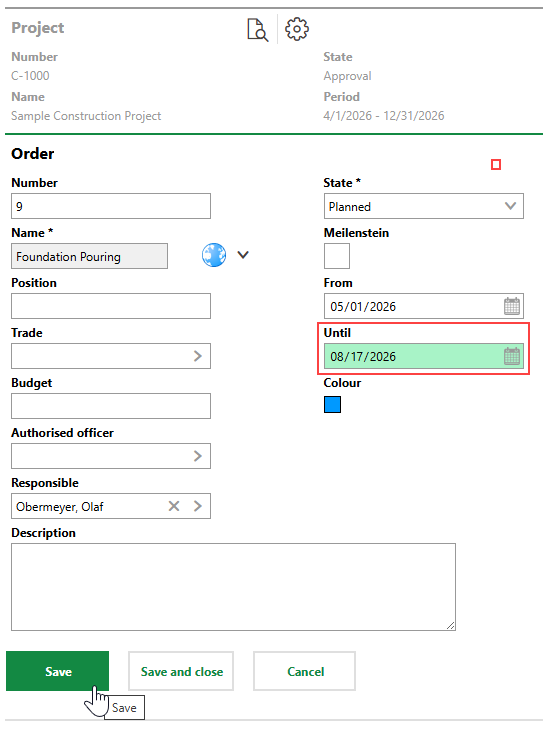
Updated Order Until Date
When you move the predecessor's completion date to August 17, its successor order is rescheduled to August 18.
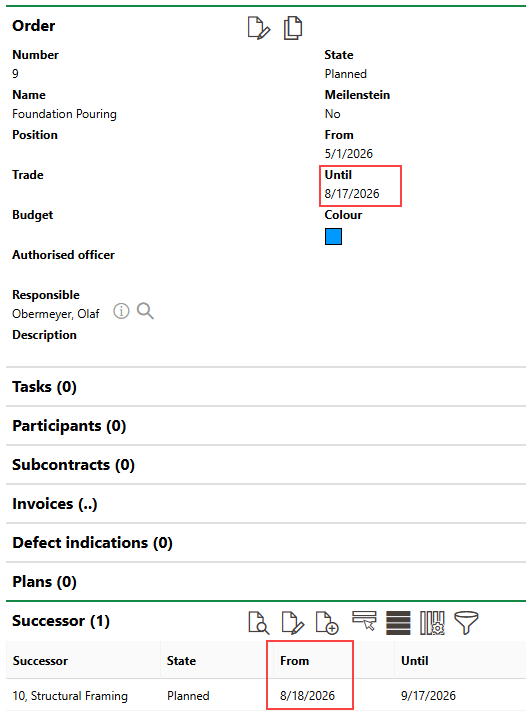
Adjusted Predecessor Date
Consider the rules below when scheduling predecessor and successor orders.
Successor Order Rules
•if a predecessor order's Until date is changed, VertiGIS FM reschedules the successor's From date accordingly.
•VertiGIS FM always respects the amount of time originally scheduled between predecessors and successors, as well as the length of the orders themselves. For example, if a predecessor is scheduled to end on August 31, and its successor is scheduled to occur October 1 to October 31, rescheduling the predecessor's Until date to September 14 changes the successor's dates to October 16-November 15, adding the same 15-day period that after the predecessor and maintaining the month-long period scheduled to complete the successor.
•successor order dates shift accordingly when their predecessor's dates are moved up, as well as pushed back.
•you can use the predecessor-successor order functionality for orders with Milestone dates (instead of From and Until dates), but you must change the predecessor order to one that uses From and Until dates (i.e., deselect the Milestone check box) when you reschedule the predecessor.