The VertiGIS FM Maintenance app supports offline use. You can withhold updates made using the app until you can connect your device to the Internet and then synchronize the app.
The synchronization functionality imports updates made to any orders, work orders, defects, devices, or tickets using the VertiGIS FM Maintenance app into the VertiGIS FM database. Additionally, changes made to the VertiGIS FM database outside of the app (for example, a new order was created and assigned to you) are retrieved by the app.
If your device is connected to the Internet, you can synchronize the app and the VertiGIS FM database at any time by tapping the  icon. You can access the synchronize button at the bottom of the Maintenance tab or Service Desk tab.
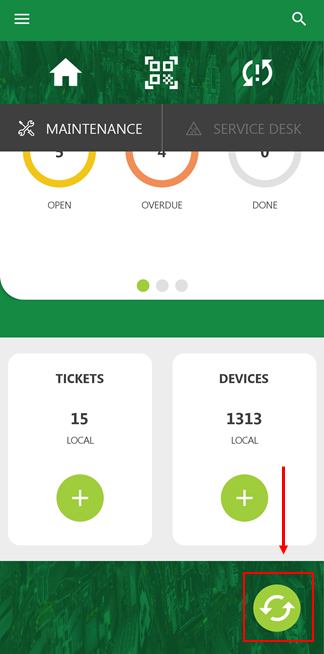
Synchronize Button
You can also synchronize the app by opening the hamburger menu and tapping Synchronise.
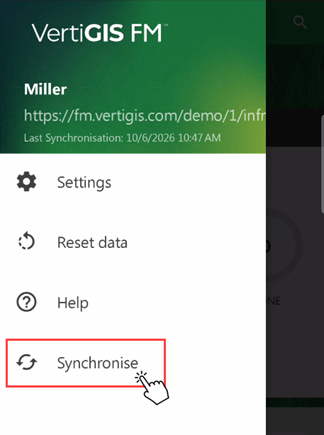
Synchronize Button in Hamburger Menu
The app presents the messages below as it synchronizes with the database.
|
|
|
|
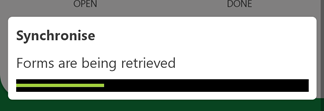
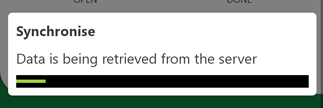
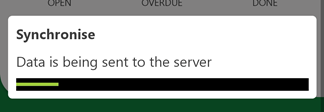
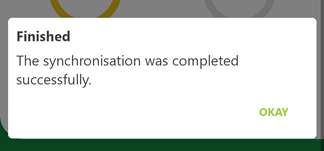
Synchronization Errors
The app presents the message below if any errors occur while synchronizing the app and the database.
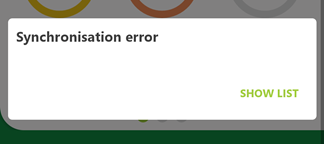
Synchronization Error
When the synchronization error message appears, you can tap Show List to see which objects were not able to be synchronized into the database. If the app and the database are not synchronized after you press the synchronize icon, the  icon appears on the Maintenance and Service Desk tabs.
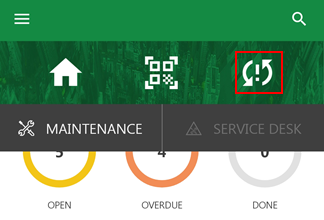
App Synchronization Error Icon
Tapping this icon shows a list of updated entities (for example, devices or orders) that were not able to be synchronized with the VertiGIS FM database. App synchronization errors often occur when an object like a device is updated in the VertiGIS FM Maintenance app as well as directly in the database before the synchronization occurs.
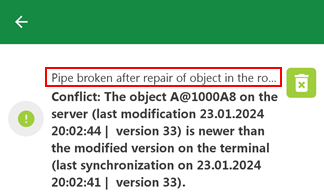
App Synchronization Error Message
Tap the  icon to dismiss the error next to it.