You can see any recorded meter readings for meters currently assigned to metering points in your system.
View Recorded Readings for a Meter
You view recorded meter readings for any active meter in the system by swiping to the Meters widget on the dashboard.
After you synchronize the app, you cannot see meter readings for a meter for which you have submitted a meter reading until a day elapses. Meters for which you have submitted a meter reading are removed from the list associated with the Open counter on the Meters dashboard when you synchronize the app.
To View Recorded Meter Readings for a Meter
1.Open the VertiGIS FM Energy app and swipe to the Meters widget on the dashboard.
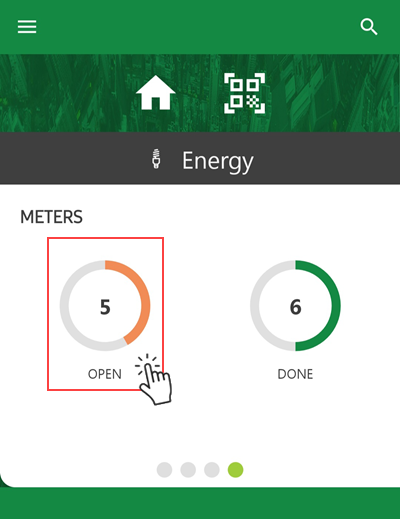
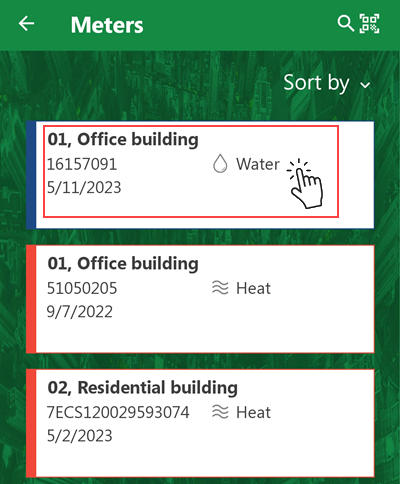
2.Tap the meter whose readings you want to see.
3.Scroll down to the Meter Readings section and tap it to expand it.
4.Tap View
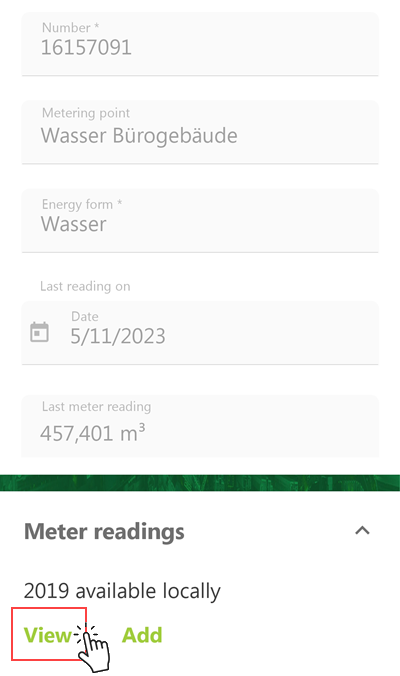
A chronological list of readings recorded for the meter opens.
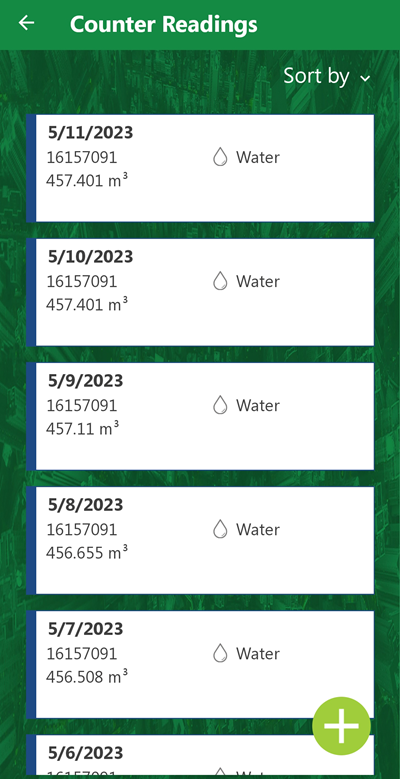
Recorded Meter Readings for Meter 16157091
The meter reading dates and values match those of the entries in the Meter Readings section on the meter's details page in VertiGIS FM.
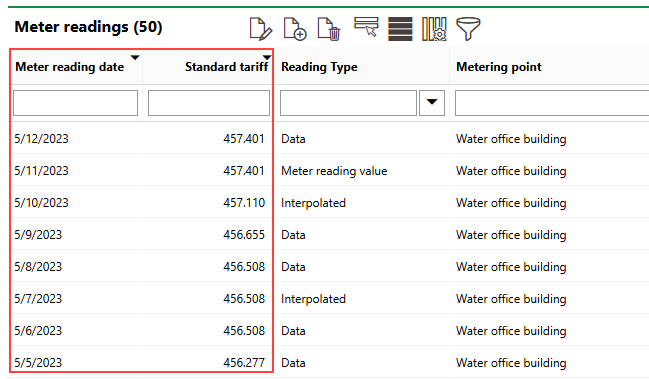
Meter Readings Section on Details Page for Meter 16157091
Add Reading
You can add a meter reading for the meter whose readings you are viewing by tapping the  button on the meter's reading list.
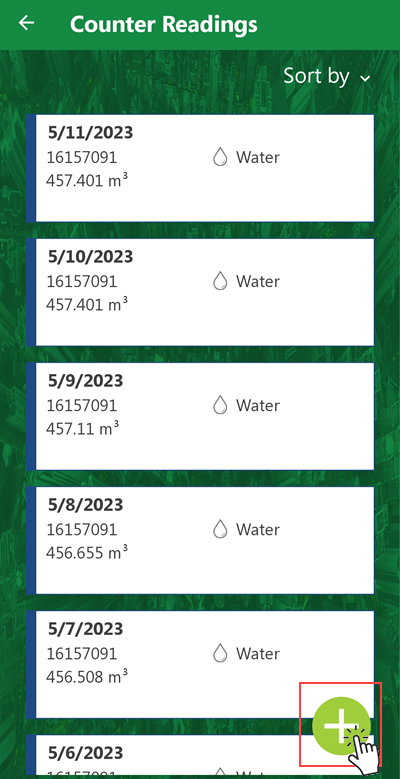
Add Button
Tapping this button opens the form to add a meter reading for the meter (step 6 in the linked procedure).