Using the Condition Assessment module, you create, assign, and complete thorough inspections of rental agreements managed in the VertiGIS FM Contracts product.
Rental inspections target rental agreements, not rental units, because rental agreements can outline the terms for the rental of more than one rental unit.
You can manage two separate types of rental inspections: Initial Condition Reports (move-in inspections) and Exit Condition Reports (move-out inspections).
Depending on the version of VertiGIS FM you are running, Initial Condition Reports and Exit Condition Reports may be referred to as Delivery and Remittance, respectively, in the user interface.
Rental agreement inspections include
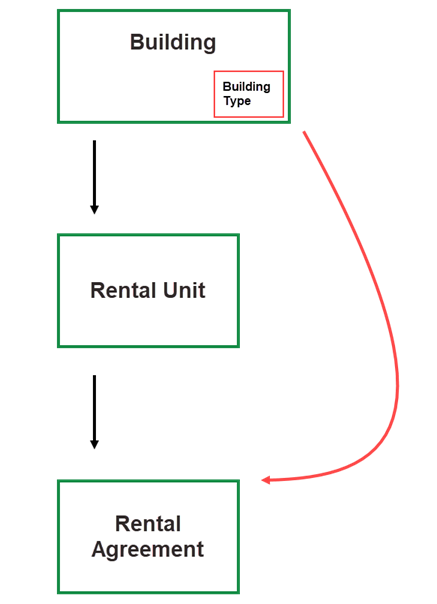
•checklists associated with the Building Type property of the building that contains the rental unit associated with the rental agreement being inspected, as well as the inspection type.
•the ability to log defects discovered during the inspection.
•a form to collect electronic signatures from both parties involved in the rental agreement.
Checklists
Rental inspections include a section for each order checklist in the rental management checklist administration that
•has the Type property (specified in the inspection strategy properties) selected in its Kind of Inspection field.
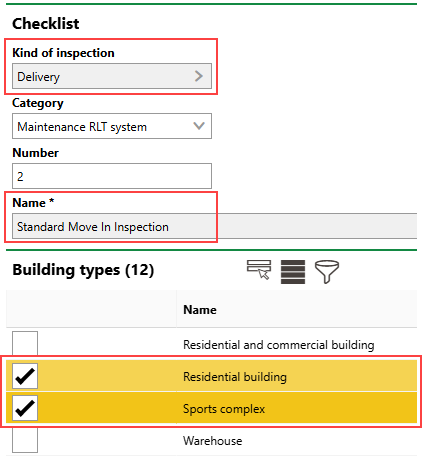
•has the Building Type property of the building that contains the rental unit associated with the rental agreement selected in its Building Types section.
In the example above, the "Standard Condition Report" checklist appears in Delivery (or Initial Condition Report) inspections created for rental agreements associated with rental units in buildings that have Residential Building or Sports Complex selected in the Building Type field.
Building Type Property
The employee assigned to the inspection must complete any required items in the checklist to complete the inspection. If the checklist includes items that are not designated as required, the employee can optionally complete them.
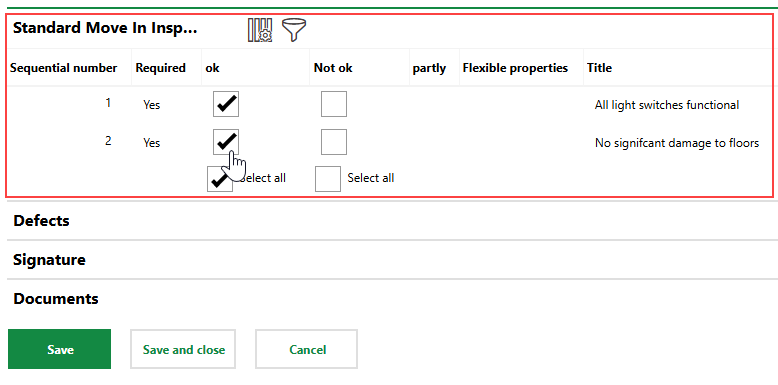
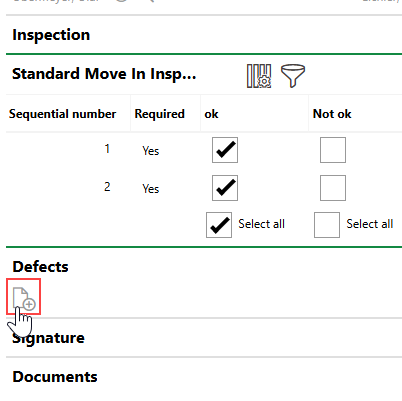
Rental Agreement Inspection with Checklist
You can log defects discovered during the inspection in the Defects section. Click the Add ( ) icon to add a defect.
The details page for the new defect will indicate that it was documented during the inspection.
Defect Logged During Inspection
Signature
In the Signature section, you can electronically capture signatures of both parties involved in the rental agreement to indicate that they agree to the conditions of the property as recorded in the report.
If you or the other party needs to redo a signature, click the Delete ( ) icon to clear a signature from the signature box. By default, VertiGIS FM populates the names of the renter and lessor beneath each signature box.
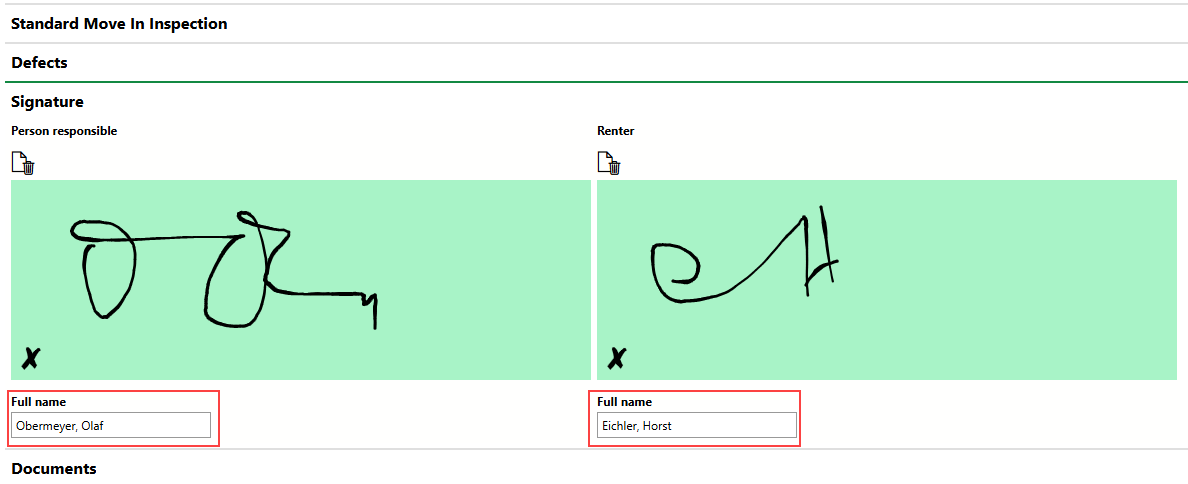
Renter and Lessor Names in Signature Section
Documents
You can upload documents (for example, photos taken during the inspection) in the Documents section.
Refer to Upload Documents.