You can change the fiscal year to which your Enter value environment is set by clicking the icon  in the navigation bar at the top of the page.
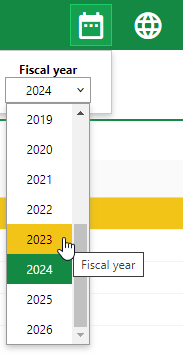
Fiscal Year
This selection determines which financial data is shown and which years you can set budgets for in the application.
If the current fiscal year does not appear in the drop-down menu, an administrator must add it in the fiscal year administration section.