Applies to: Administrators
Administrators can customize which job-level actions workers may perform. These settings apply system-wide across all Job Management groups and are configured in VertiGIS Studio Web Designer.
Permission Reference
Supervisor permissions are always on. Worker permissions marked Configurable can be toggled.
Action |
Supervisor |
Worker |
|---|---|---|
Create job |
Always on |
Configurable |
Delete job |
Always on |
Configurable |
Close job |
Always on |
Configurable |
Complete job |
Always on |
Always on |
Assign job |
Always on |
Configurable |
Update job |
Always on |
Configurable |
Put job on hold |
Always on |
Configurable |
Group management is restricted to administrators and cannot be granted to workers.
Configure the Permissions
Have the URL of the JobManagementSystem hosted feature service from your ArcGIS Portal ready.
To configure worker permissions:
1.Open VertiGIS Studio Web Designer and open your application.
2.Select the Services tab in the component panel on the right.
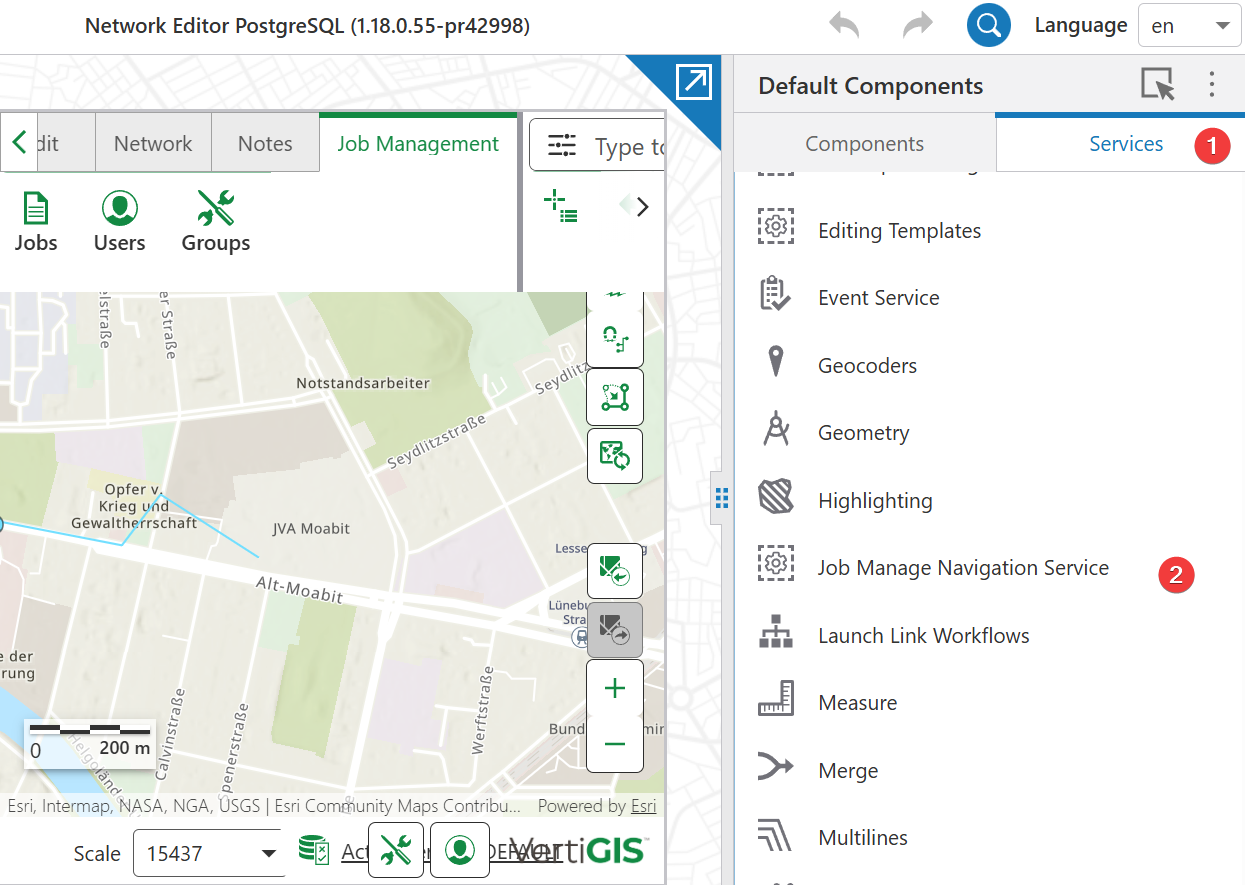
3.Select Job Management Navigation Service to open its configuration.
4.In the Job Management System URL field, enter the URL of the JobManagementSystem hosted feature service.
5.Review the list of worker permissions that appears.
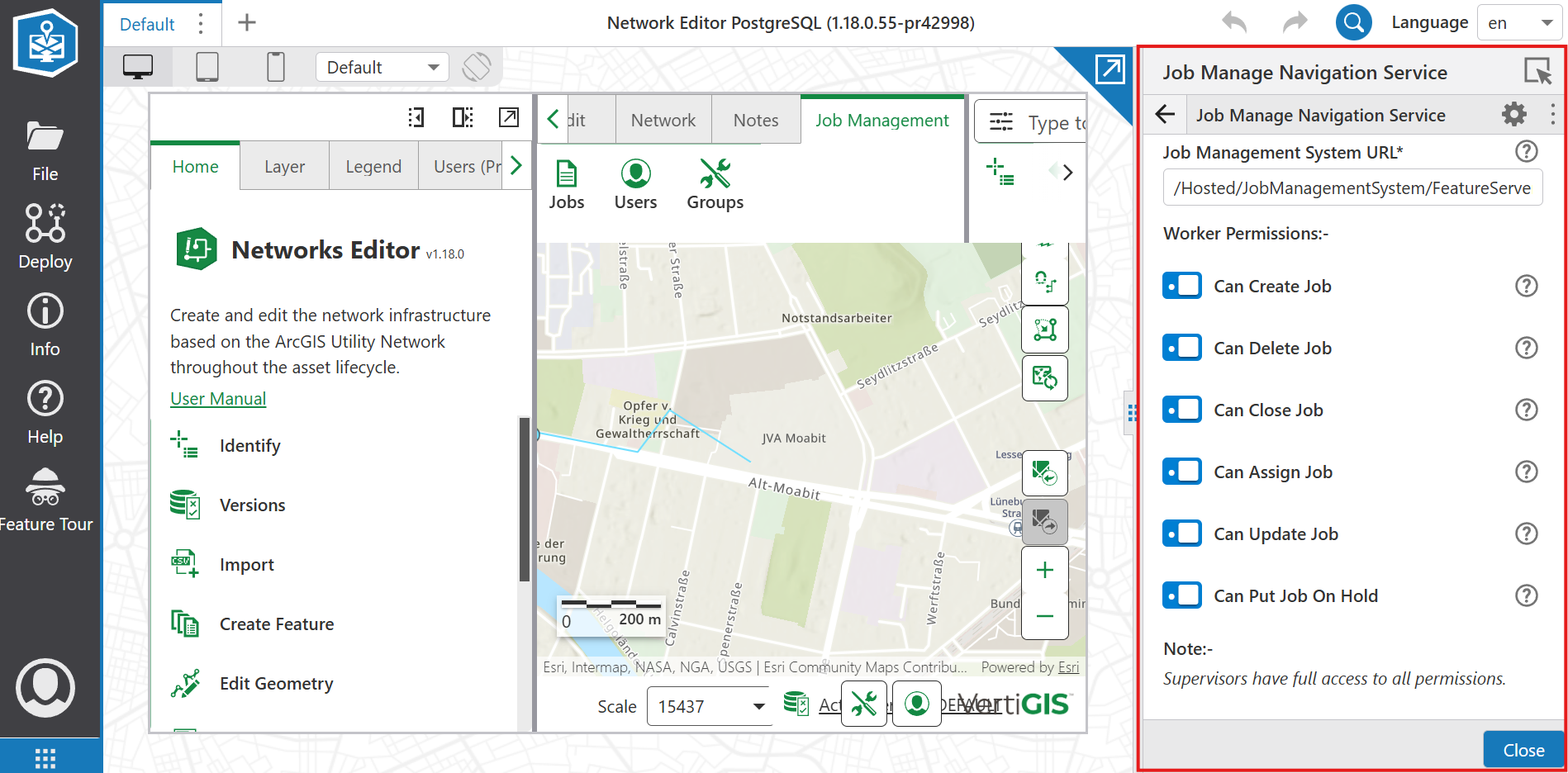
6.Toggle each permission On or Off to set what workers can do.
7.Save your changes.
The permissions are saved to the Job Management feature layer and applied system-wide. Workers across all groups see and perform only the actions you enabled.
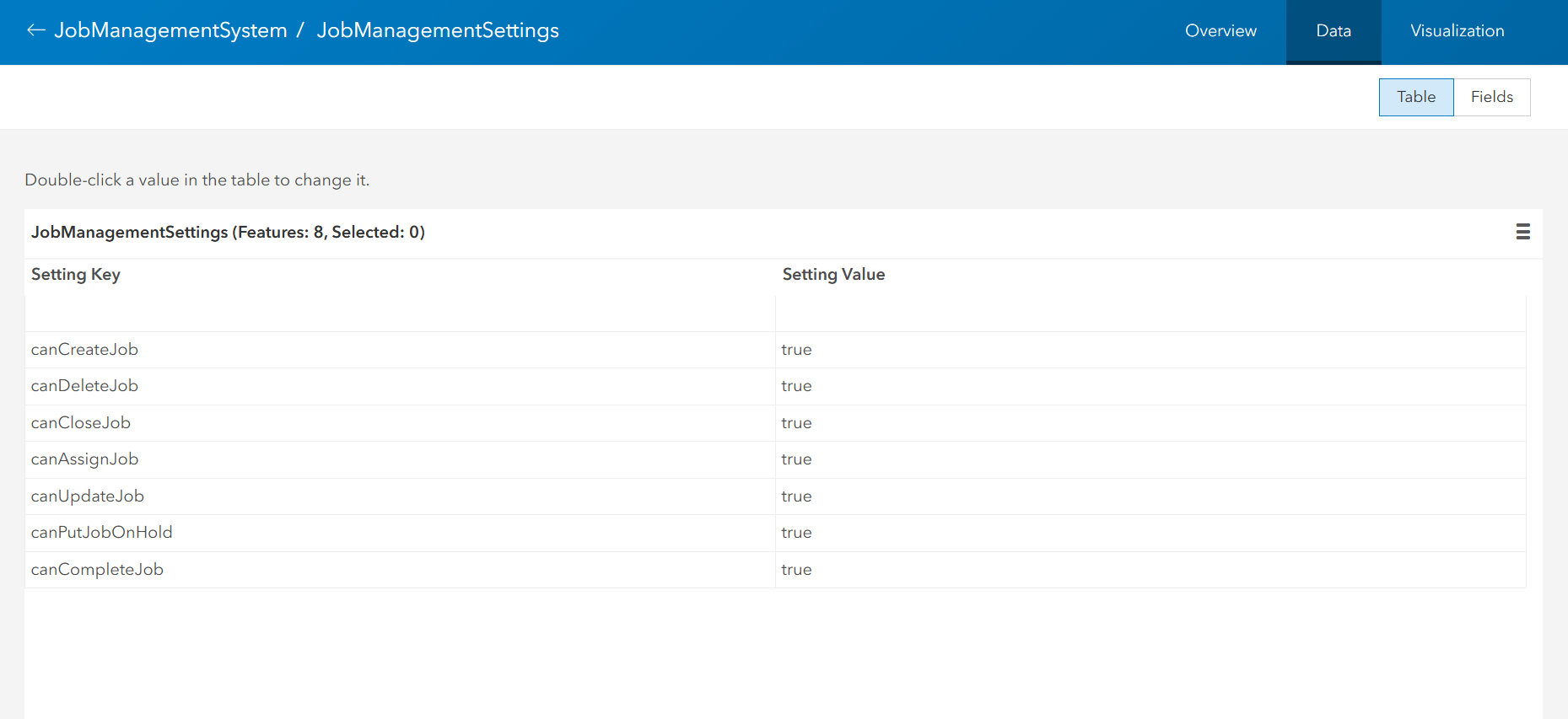
A worker already signed in must refresh the browser page before the changes take effect in their session.