New entrants are inventory (inventory items or devices) that were scanned or manually added during a stocktake but have no matching barcode in the VertiGIS FM database. These assets appear in the New Entrants section on the Stocktake Review Page and should be categorized within the Inventory Management Structure (inventory items) or Device and Systems Structure (devices) before you complete the stocktake.
The asset will not be listed in future stocktake lists for the location as a new entrant. It must be sorted into the a version in the property asset management structure.
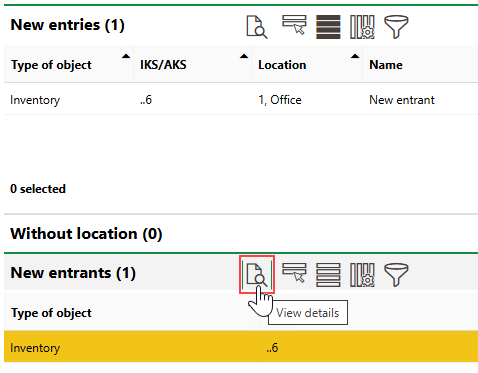
New entrants appear in both the New Entries and New Entrants sections on the Stocktake Review Page. You cannot remove items from the New Entries section, but you should empty the New Entrants section before completing the stocktake.
To Sort New Entrants
1.On the Stocktake Review Page, select an item in the New Entrants section and click the View Details ( ) icon, or double-click the asset.
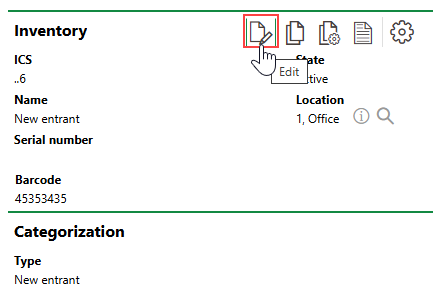
2.On the details page for the inventory item or device, click the Edit ( ) icon.
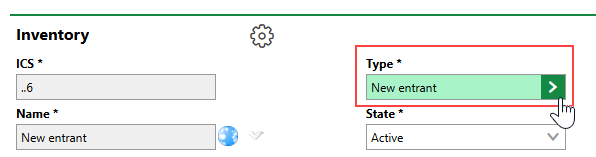
3.Click the > button in the Type menu.
4.Select the group, designation (if applicable), and version into which you want to sort the asset, and then click Apply, or double-click the version.
5.Enter any additional available details for the new asset. It is recommended that you update its name from "New entrant".
6.Click Save or Save and Close.
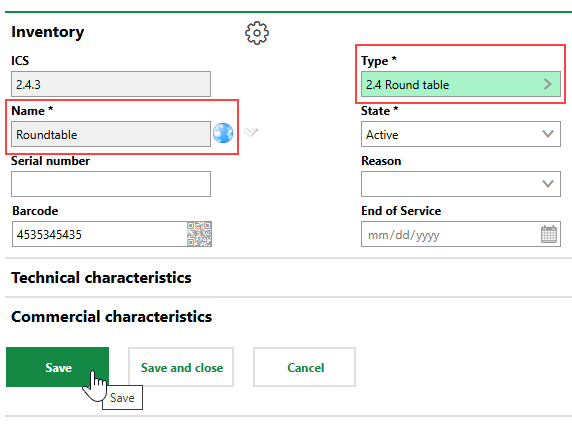
The asset's details page now indicates that the asset has been sorted into a version in its hierarchical structure.
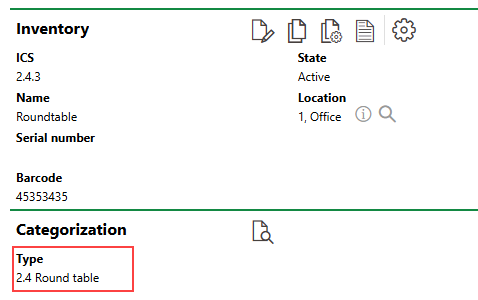
Asset Version
On the Stocktake Review Page for the stocktake in which the asset was discovered, the new entrant no longer appears in the New Entrants section because it has been added to a version. The New Entries section still shows the asset and reflects the properties you assigned to it.
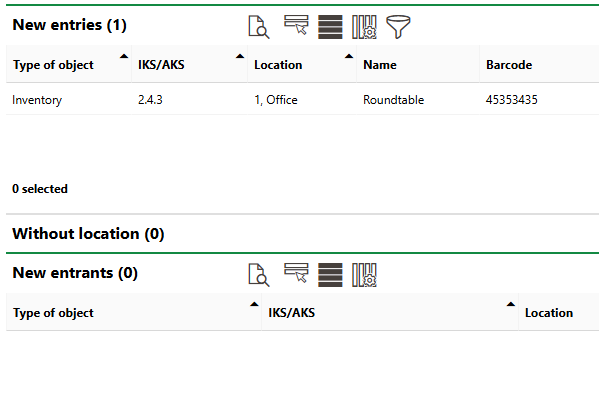
New Asset Removed from New Entrants Section on Stocktake Review Page