A list of code and value pairs specifies a coded values entry. Use coded values with schema fields. The code is stored in the feature; the value displays in the UI. Coded values typically use the drop-down control type.
Attribute form coded values offer enhanced features beyond Esri coded value domains:
•Multiple translations: Support for multiple languages
•Cascading values: One drop-down selection defines another drop-down's options
•Filtering and retiring: Mark elements as visible but not selectable
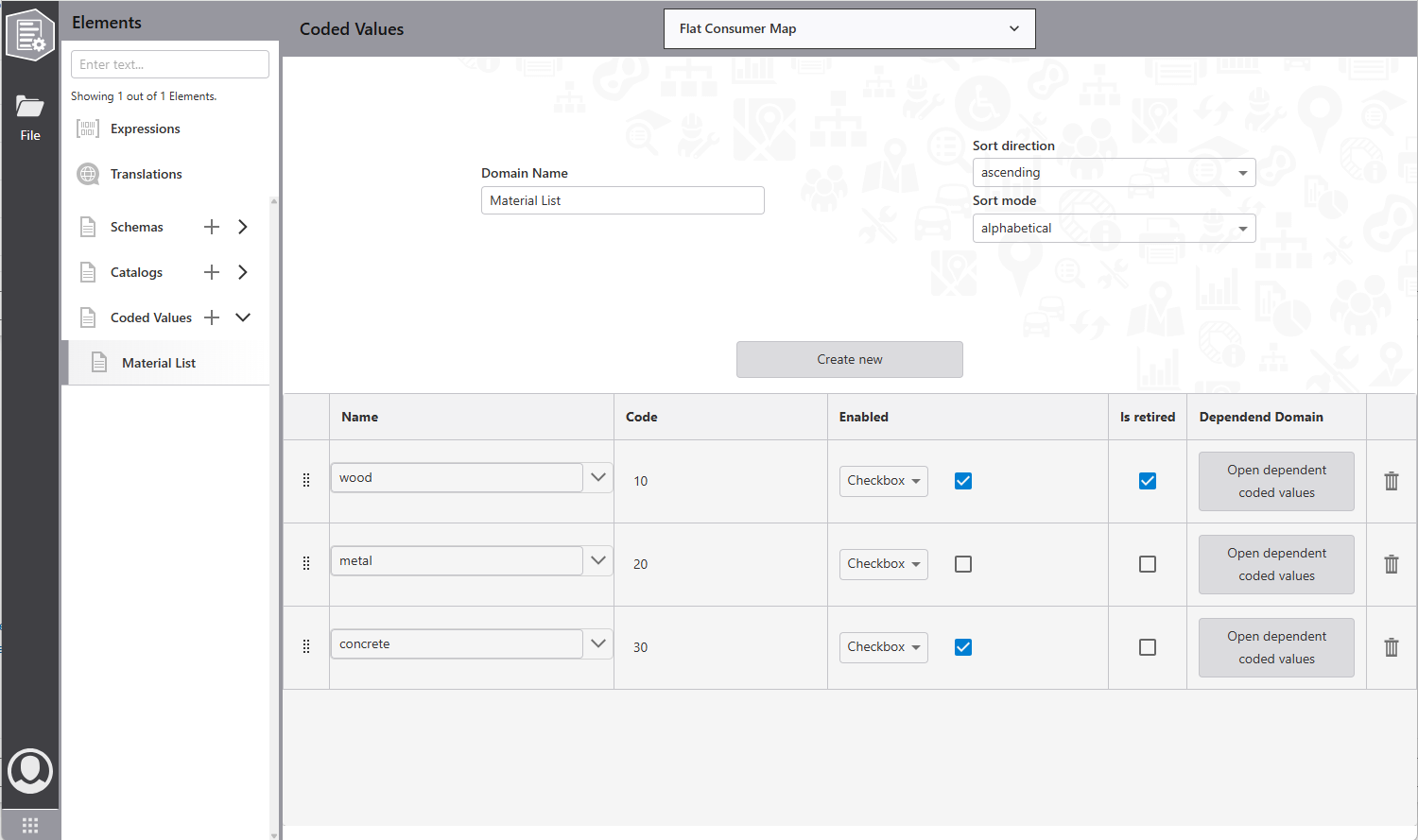
Main properties display at the top:
•Name: Coded values name (select for schema fields)
•Sort mode: Coded values sort method
•Sort direction: Sorted coded values direction
The lower table shows code/value pairs. Each pair has:
•Name: Name/value presented to users in the attribute form
•Code: Code stored in the feature attribute - must be unique
•Enable: Defines visibility. Use a checkbox, Arcade expression, or global expression reference.
•Is retired: Indicates the code/value pair is visible (because data uses it) but unavailable for new assignments.
To create cascading drop-downs:
1.Click Open dependent coded values for a code/value pair.
2.Choose an attribute name (from web map layer attribute lists or enter directly).
3.Specify the coded value applied when the parent code/value pair is selected.
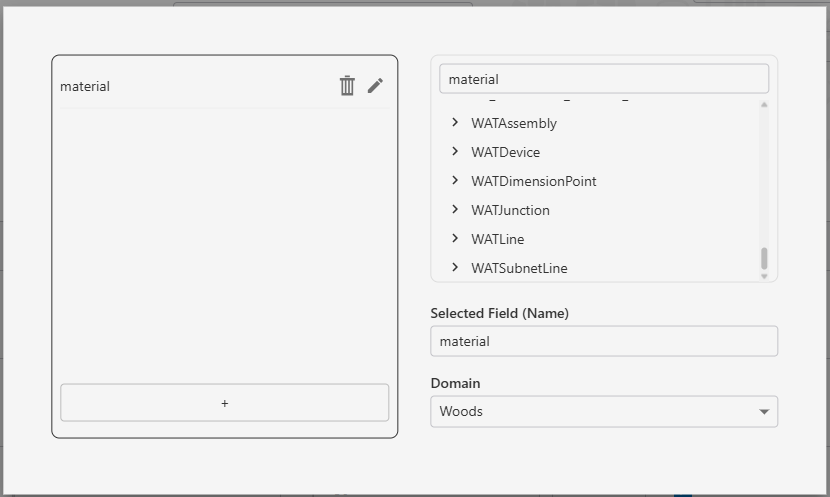
You can specify coded values for multiple children attributes.