What is Attribute Form Designer?
VertiGIS Attribute Form Designer is a SaaS tool that manages the configuration for the Attribute Form that is included in VertiGIS Networks and other supported GIS applications.
Attribute Form Designer vs. Map Viewer's Forms Tool
Aspect |
Map Viewer Forms |
Attribute Form Designer |
|---|---|---|
Primary Goal |
Quick, simple form setup for a single web map. |
Creating advanced, reusable, enterprise-grade forms for use across multiple applications. |
Storage & Management |
Configuration is embedded inside the web map JSON. To change the form, you must edit the specific map. |
Configuration is saved as a separate, managed Portal Item. One form design can be linked to many web maps and apps. |
Target User |
Map creators and GIS analysts using standard Esri apps. |
GIS administrators, application designers, and enterprise teams managing complex data workflows. |
Ideal For |
Simple forms, one-off projects, or when form logic is unlikely to be reused. |
Complex forms requiring conditional logic, multi-language support, centralized management, or reuse across an organization. |
Why is the separate Designer necessary?
As organizational editing workflows become more sophisticated, forms require logic like:
•If Hydrant Type is 'Dry Hydrant,' then make the Pressure field read-only.
•Show the Maintenance Contractor dropdown, but filter it based on the selected District.
•Use this same complex form for editing hydrants in our field inspection app, our maintenance app, and our public portal.
Managing this level of complexity inside individual web maps with Map Viewer Forms becomes cumbersome and leads to duplication. The Attribute Form Designer addresses this by providing a dedicated, visual environment to build and - most importantly - centrally manage these advanced forms.
Key Components
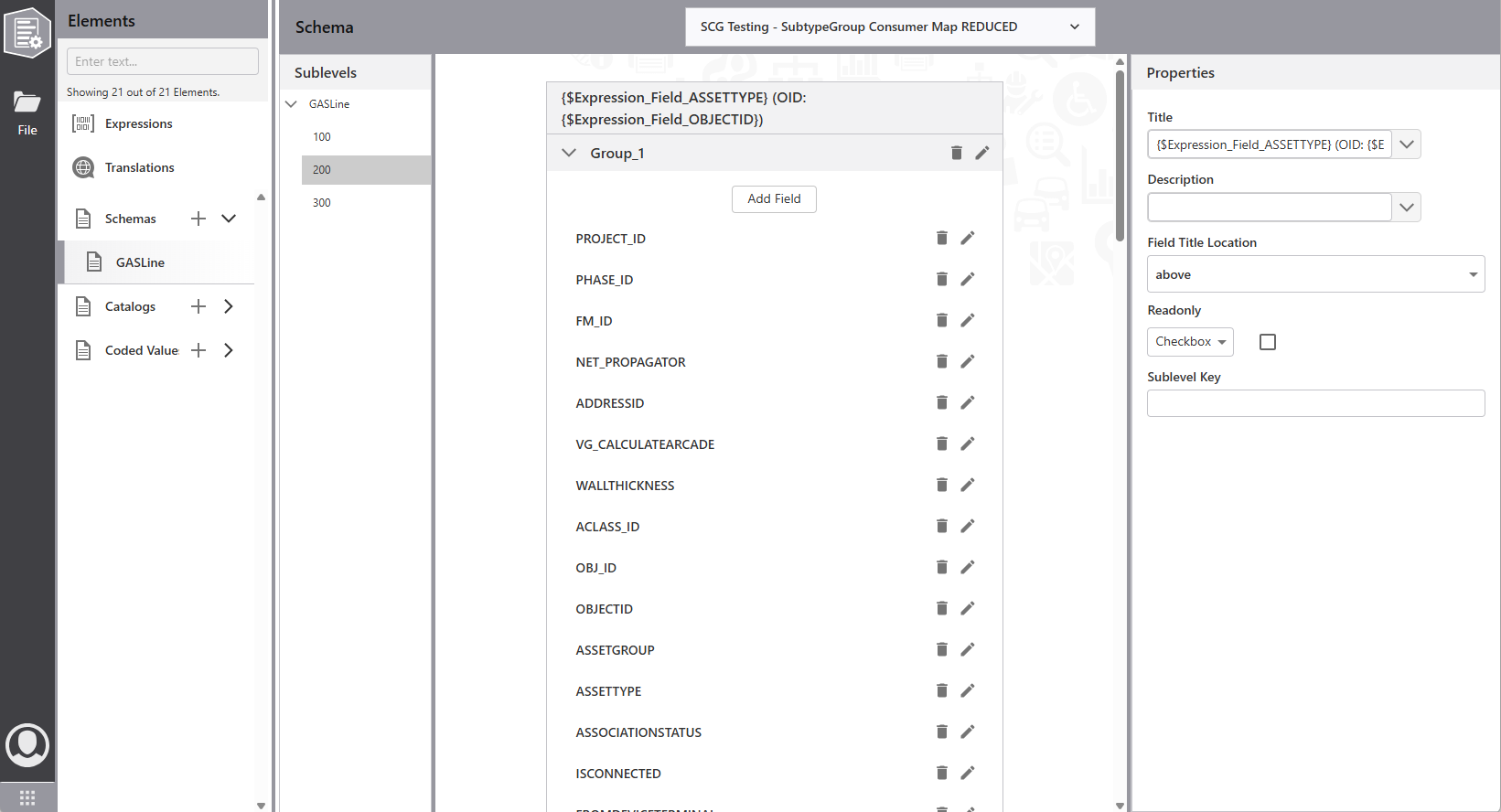
•Expressions - Reusable Arcade expressions that add dynamic behavior, like showing text, feature values, or controlling visibility and editability.
•Translations - Centralized multi-language text management for easy localization and internationalization across your forms.
•Schemas - Visual form builder with groups and fields to organize attributes and create structured, flexible forms.
•Catalogs -Predefined value combinations to apply multiple attributes at once.
•Coded Values - VertiGIS-enhanced Esri coded value domains presented as drop-down lists with cascading support
Advanced Features
The Designer enables capabilities beyond Map Viewer Forms:
•Cascading Dropdowns: One selection filters options in another field
•Reusable Expressions: Global Arcade expressions for complex validation and conditional logic
•Translation Management: Centralized multi-language text for international deployments
•Additional validation: Add required=true even if database allows null
•Catalog-Based Entry: Apply predefined attribute combinations with a single selection
•Enhanced Coded Values: Advanced dropdown lists with filtering, dependencies, and retirement