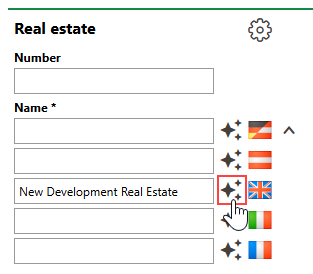
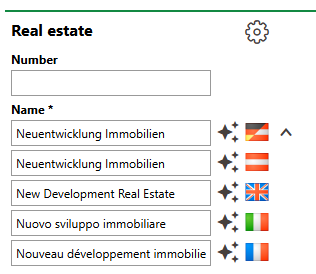
Customers whose VertiGIS FM licences include multiple languages can enter a different name for the object for each language included in their licence. VertiGIS FM shows the name associated with the application's current language setting. Refer to Language.
Typically, users have manually typed translated names or copied them from a language translation tool. Using the AI translation feature, you can enter a name for an object or entity in the Name field for one language and then click the icon to have VertiGIS FM populate the other name fields with an accurate translation.
AI Name Translation Feature (1/2) |
AI Name Translation Feature (2/2) |