You can customize the dashboard for VertiGIS FM products and modules to ensure your users see timely, relevant content as soon as they sign in. In addition to providing quick links to key workflows in each product, your dashboards can reflect any VertiGIS FM data in the form of lists, charts, graphs, widgets, and more.
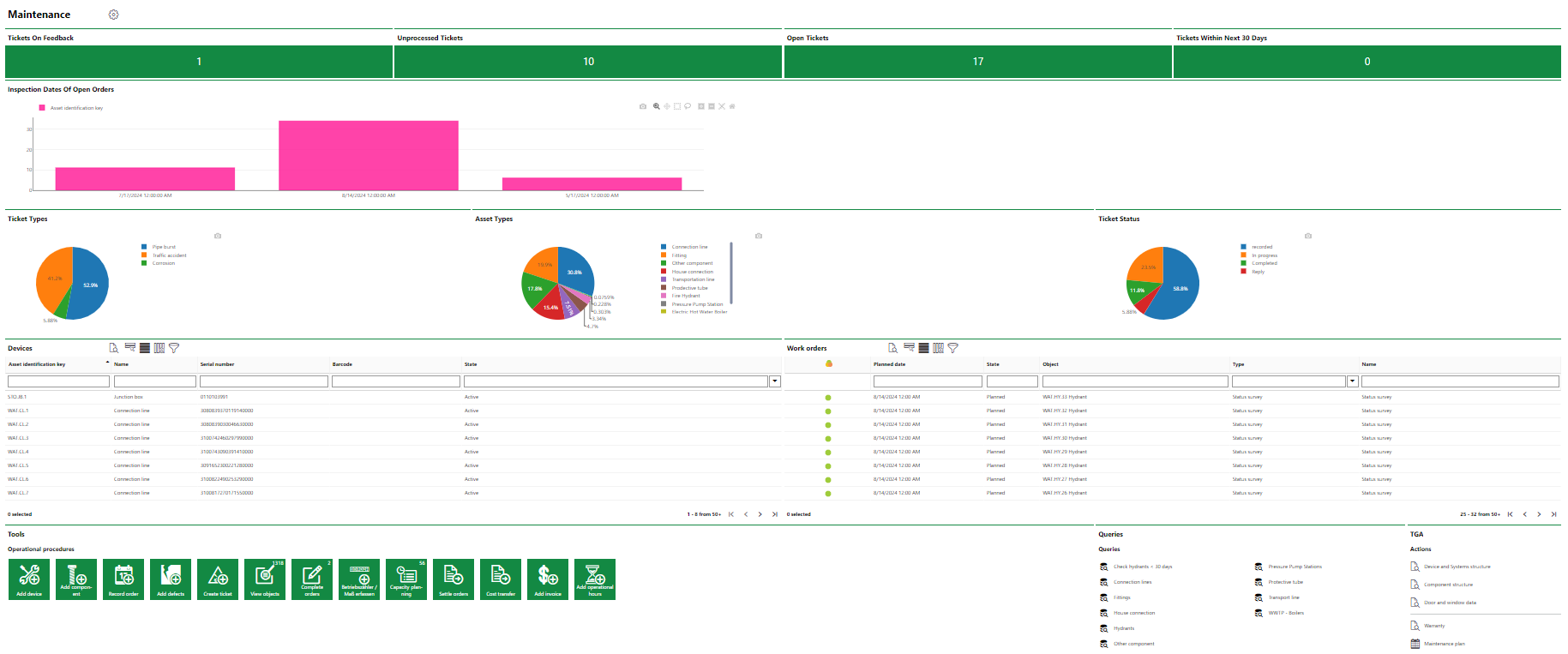
Customized Dashboard
The dashboard customization interface uses an interactive designer that allows you to add, rearrange, and resize items on the dashboard using your mouse or keypad.
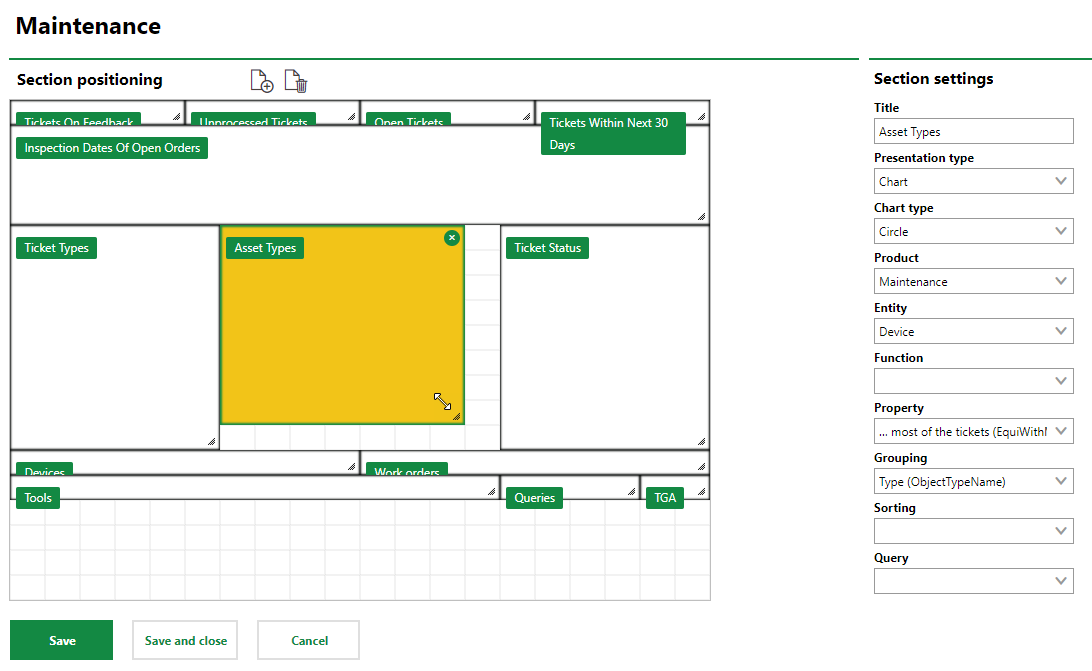
Dashboard Design Interface
You can create multiple dashboards for different user roles on the same dashboard, if necessary.
Refer to the child topics in this chapter for detailed instructions on how to create a custom dashboard and how to showcase VertiGIS FM data in dashboard objects.
User Role Permissions
Only users assigned user roles that have the Manage Dashboards permission enabled can manage dashboard content. Administrators can find the Manage Dashboard permission in the Platform Permissions section of the user role administration.
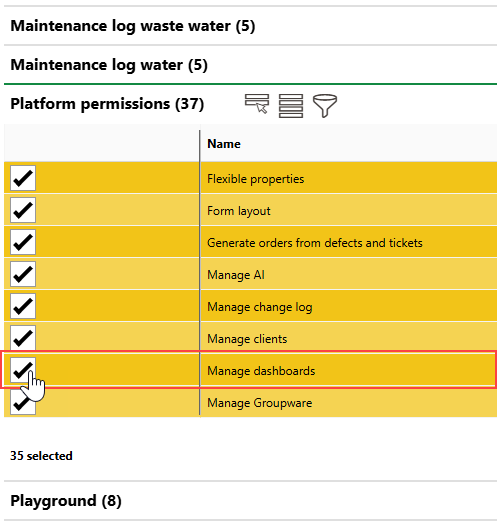
Manage Dashboards Permissions in Role Administration