Administrators can create most types of checklists globally on the checklist administration page. Checklists for assets managed in VertiGIS FM Maintenance can be created locally, on the device or component's type details page.
In VertiGIS FM Buildings, you can create both order checklists and asset checklists.
Order checklists can be applied
•to time-based maintenance strategy intervals created for any building assets (real estates, buildings, floors, rooms, or building constructions). These checklists can be (or, if they include required items, must be) completed when an employee completes orders generated by the maintenance strategy.
•to building inspection strategies created for building inspections. Building inspections are managed in the Condition Assessment module.
Asset checklists are applied directly to buildings and can be completed once for each building you apply them to.
Create an Order or Inspection Checklist
Global order checklists can be applied to any maintenance strategies used to maintain building assets (real estates, buildings, floors, rooms, and building constructions) in VertiGIS FM Buildings. Inspection checklists can be assigned to building inspection strategies.
To Create an Order Checklist
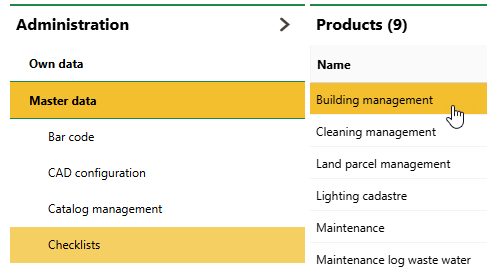
1.Navigate to the checklist administration page (Administration > Master Data > Checklists).
2.Double-click Building Management.
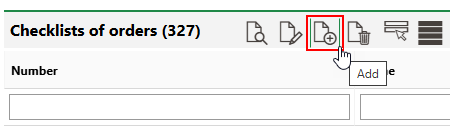
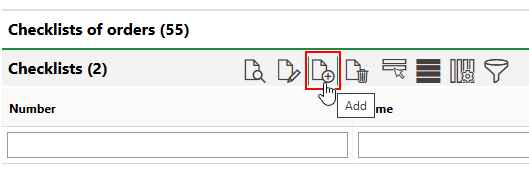
3.In the the Order Checklists section, click the Add ( ) icon.
4.At minimum, enter a Name for the new checklist. Optionally, enter a Number and select its Category. Refer to Checklist Details for descriptions of all form fields.
If you are creating an inspection checklist to apply to a building inspection strategy, select an option from the Kind of Inspection menu. The checklist will be included in any inspections assigned this category in the inspection's Type field.
If you are creating an order checklist to apply to a time-based maintenance strategy interval, do not select an option from the Kind of Inspection menu.
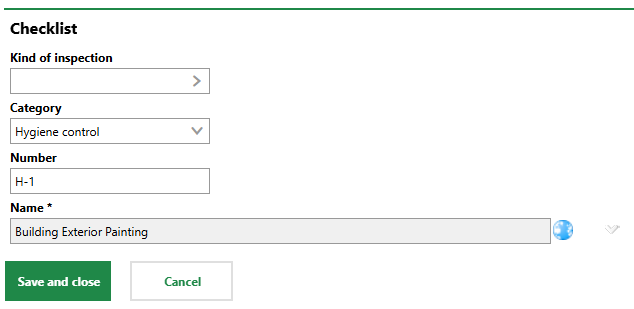
5.Click Save and Close.
After you save the new order checklist, add items to it.
You can now
•apply the checklist to maintenance strategy intervals you create for any buildings in VertiGIS FM Buildings, or apply the checklist; or
•assign Building Types to the checklist so that it is included in building inspections generated for buildings with the same Building Type property.
Create an Asset Checklist
A global asset checklist can be applied to any building in VertiGIS FM Buildings. Users can complete it once for each asset to which it is assigned.
To Create a Global Asset Checklist
1.Navigate to the checklist administration page (Administration > Master Data > Checklists).
2.Double-click Building Management.
3.In the Checklists section, click the Add () icon.
4.At enter a Name for the new checklist. Optionally, enter a Number and select its Category. Refer to Checklist Details for descriptions of all form fields.
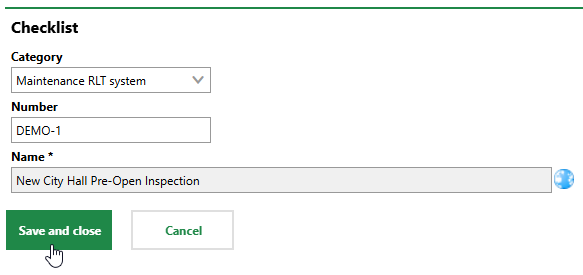
5.Click Save and Close.
After you save the new order checklist, add items to it.
You can now apply the checklist to a building.