Attribute form expressions are Esri Arcade expressions used for creating text, including feature values, and calculating boolean values for visibility or editability of attributes or list entries.
The Expression editor creates,modifies, and deletes global expressions that can be referenced in expression-supporting configuration properties.
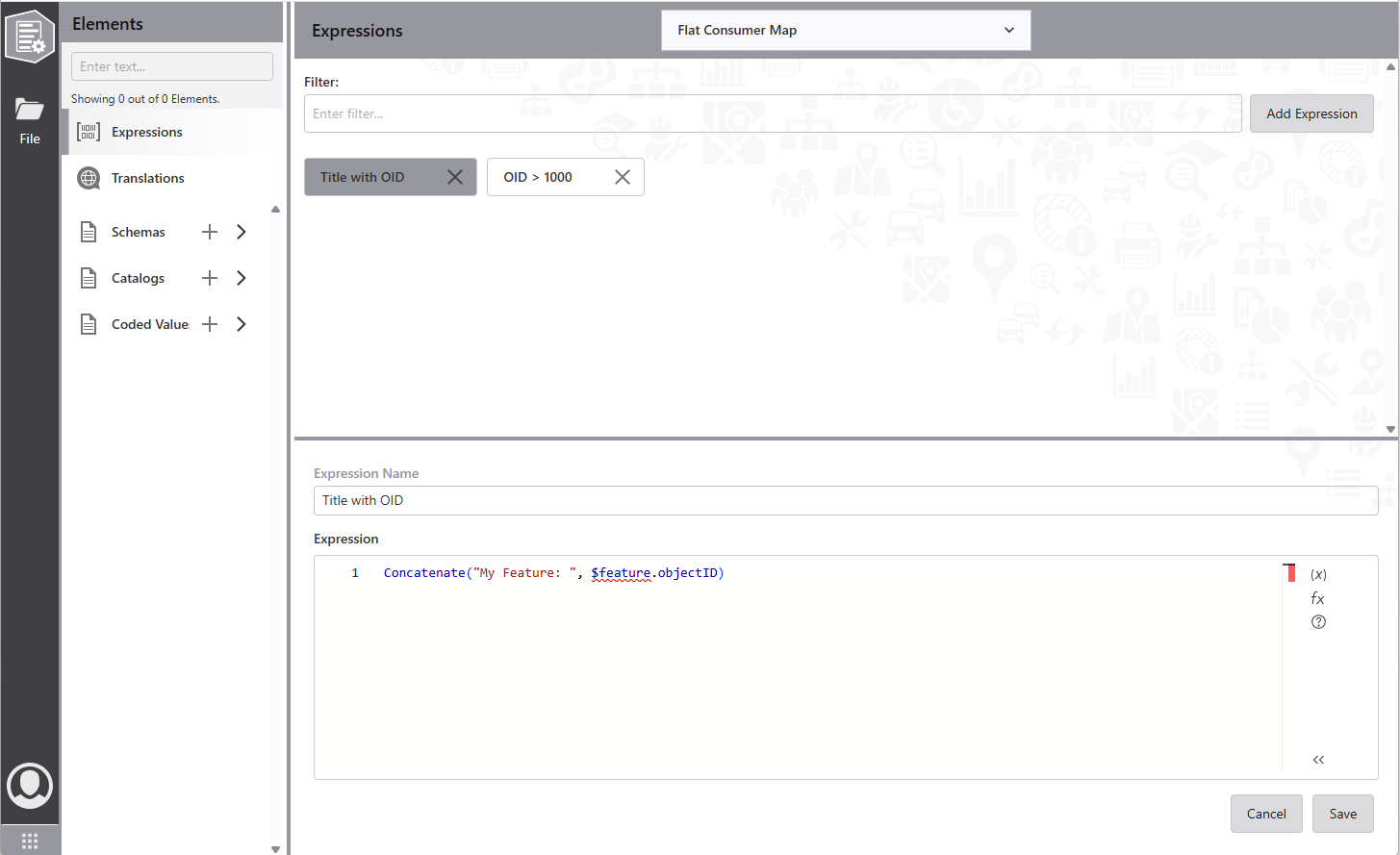
The editor has two parts. The upper half lists expressions by name. Filter them by entering text.
To add a new expression:
1.Select Add Expression on the top left.
2.Specify the name and Arcade expression.
3.Select Save.
The expression is added to the list.
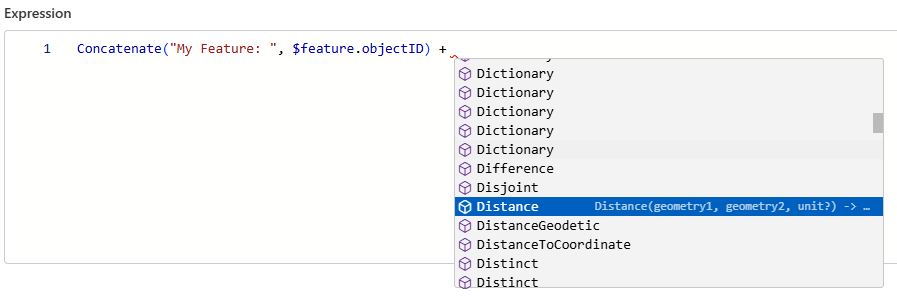
The Arcade expression editor provides function lists and validates expressions:
To modify an expression:
1.Select an expression from the list.
2.Edit the name and Arcade expression as needed.
3.Select Save to store changes, or Cancel to reset.
If the name changes, the expression may move to another position.
To delete an expression:
1.Select the X on the right of an expression.
2.Confirm the deletion.
The expression is removed from the list andall configuration references.