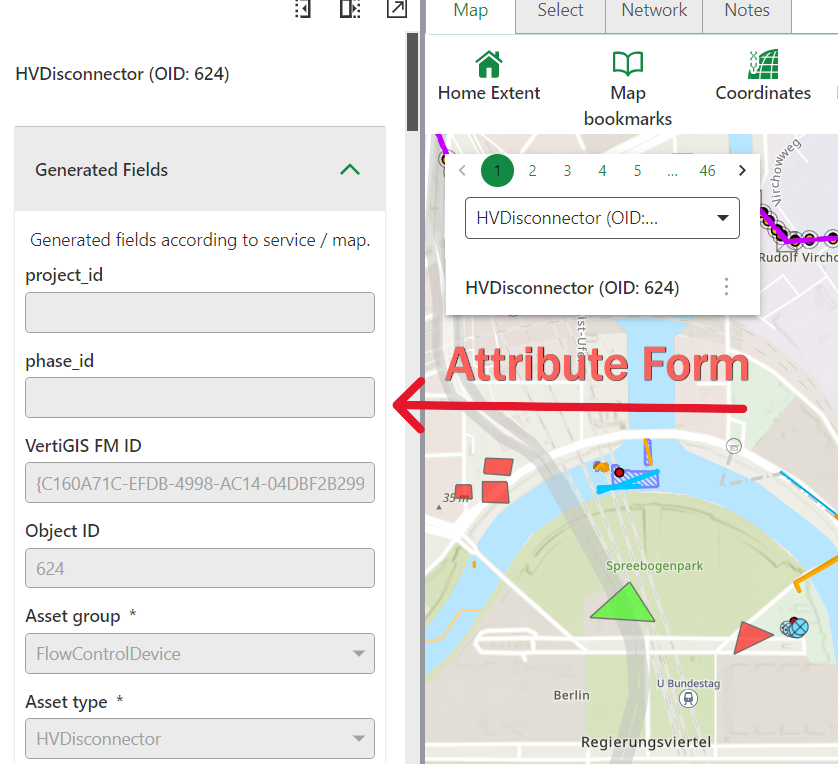
The Attribute Form is a Studio Web Service that replaces the standard user interface for viewing and editing feature attributes. It serves as the primary attribute editor in all VertiGIS Network apps.
What makes it different?
Unlike the standard Studio Web editor, the Attribute Form provides extensive configuration options that let you customize how users interact with feature data. This level of customization isn't available in the standard editor.
The Attribute Form focuses specifically on attribute editing. It does not support relations and attachments - these features are handled by other components in the Network apps.
Example - managing a water utility network
Instead of showing users a generic list of all possible pipe attributes, the Attribute Form lets you create a customized interface that shows only relevant fields - such as diameter, material, installation date - organized in logical groups, with dropdown menus for material types and automatic calculations for capacity.