Overview
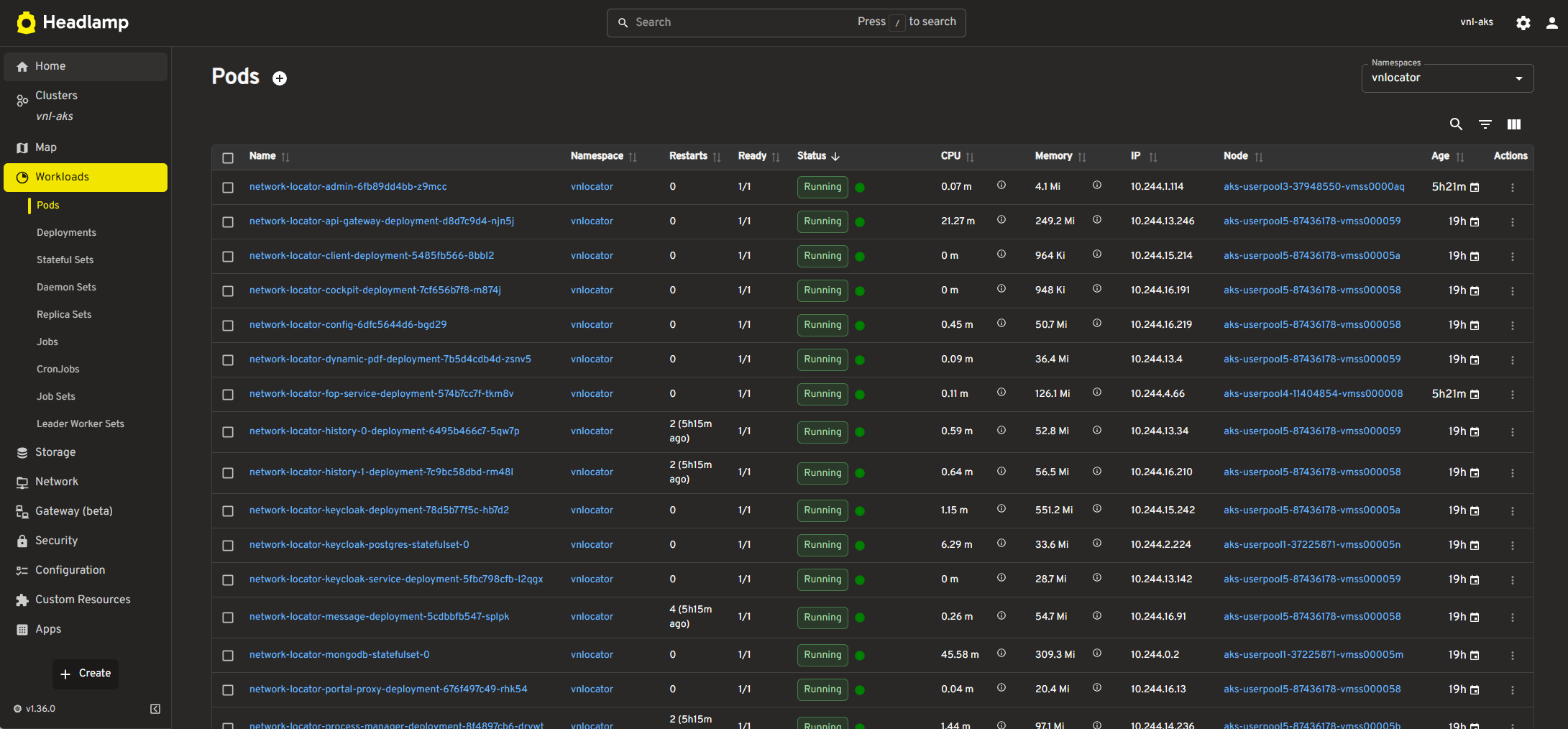
Headlamp is the optional web-based Kubernetes user interface included with Network Locator. It replaces Kubernetes Dashboard and provides access to workloads, resource usage, logs, events, and cluster configuration.
Using the Kubernetes UI is optional. If you already rely on another Kubernetes monitoring tool, the tool may not provide significant additional value.
The Kubernetes UI enables you to:
•view workloads such as Deployments, ReplicaSets, and Pods.
•monitor resource usage (CPU, memory, etc.).
•manage configurations, including ConfigMaps and Secrets.
•debug and troubleshoot failed workloads.
•access logs and events for better visibility into your cluster operations.
Access
Headlamp is available at:
https://<KUBERNETES-BASE-URL>/dashboard-<RELEASE-NAME>/
To access Headlamp, users must have an account in the network-locator-internal Keycloak realm and be assigned the headlamp role.
After signing in, authorized users can view Kubernetes workloads, resource status, logs, and events for troubleshooting and monitoring the Network Locator deployment.
Features and Usage
After logging into the Kubernetes Dashboard, you can perform the following tasks:
a)View Workloads
•Navigate to the Workloads section to view deployments, pods, ReplicaSets, and other resources.
•Inspect individual pods to view their status, logs, and events.
b)Monitor Resource Usage
•Use the Metrics section to monitor CPU and memory consumption at the pod or node level.
•Identify pods or nodes with high resource usage for optimization.
c)Manage Configuration
•View and edit ConfigMaps, Secrets, and Persistent Volume Claims directly from the dashboard.
•Apply changes dynamically without redeploying your application.
d)Debugging and Troubleshooting
•Use the Logs tab to view logs for individual pods and containers.
•Inspect events for failed or pending workloads to identify issues.