Login page announcements, called banners in Network Locator Admin, are notifications displayed at the top of the login page. Use them to inform users about planned maintenance, outages, or other important information.
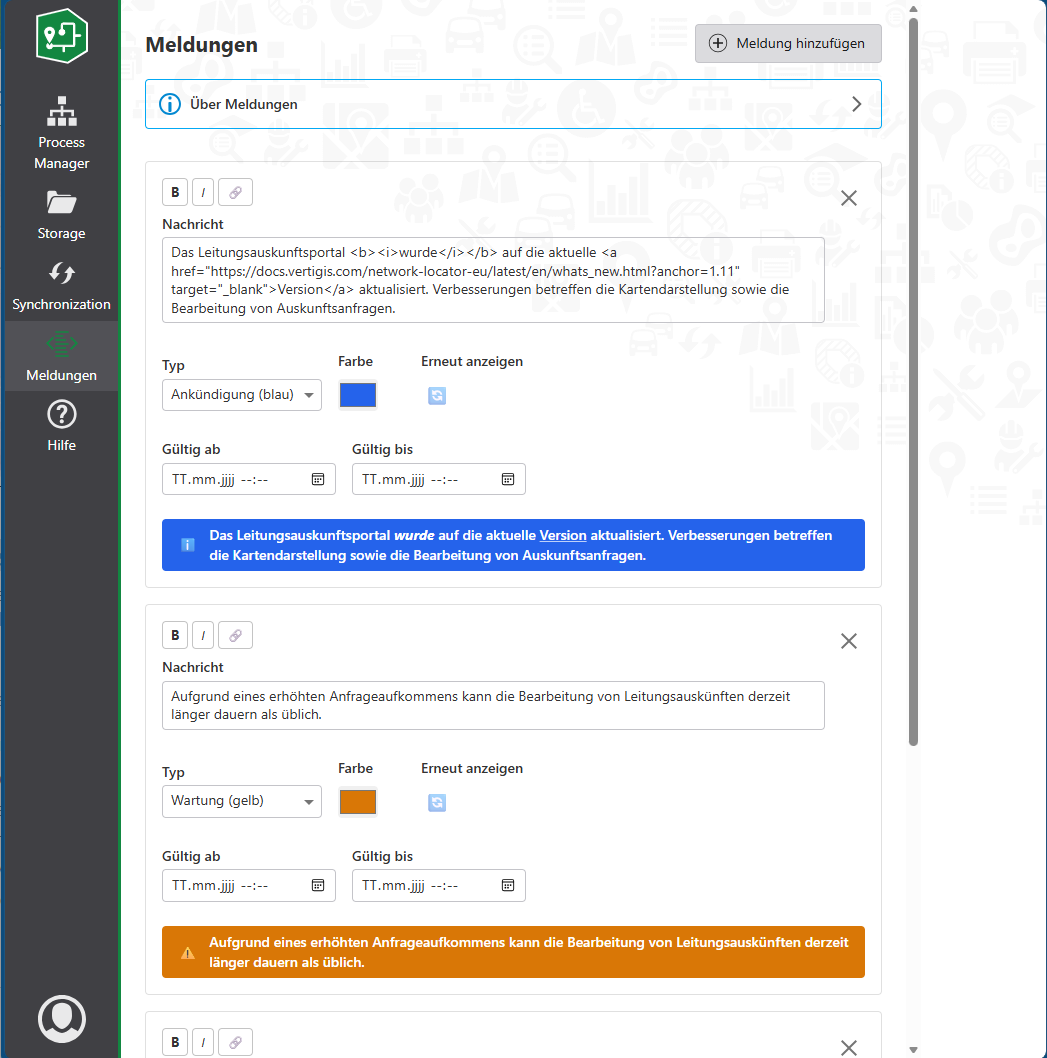
Create an announcement
1.Sign in to Network Locator Admin.
2.Select Banners in the sidebar.
3.Select Add Banner.
4.Enter the message.
5.Select a severity:
oMaintenance: amber.
oOutage: red.
oAnnouncement: blue.
6.Optionally select a custom color.
7.Optionally set Valid From and Valid Until
8.Select Save.
If no validity period is specified, the announcement is displayed indefinitely.
Format the message
Use the formatting controls to add bold text, italic text, and links. Links must use http, https, or mailto.
Dismissed announcements
Users can dismiss announcements individually. A dismissed announcement remains hidden for that user until an administrator selects Re-show. Re-showing an announcement makes it visible again to users who previously dismissed it.